Technical review: 19 October 2026 · 8 min read · Technical diagrams and AI-generated photographic concepts
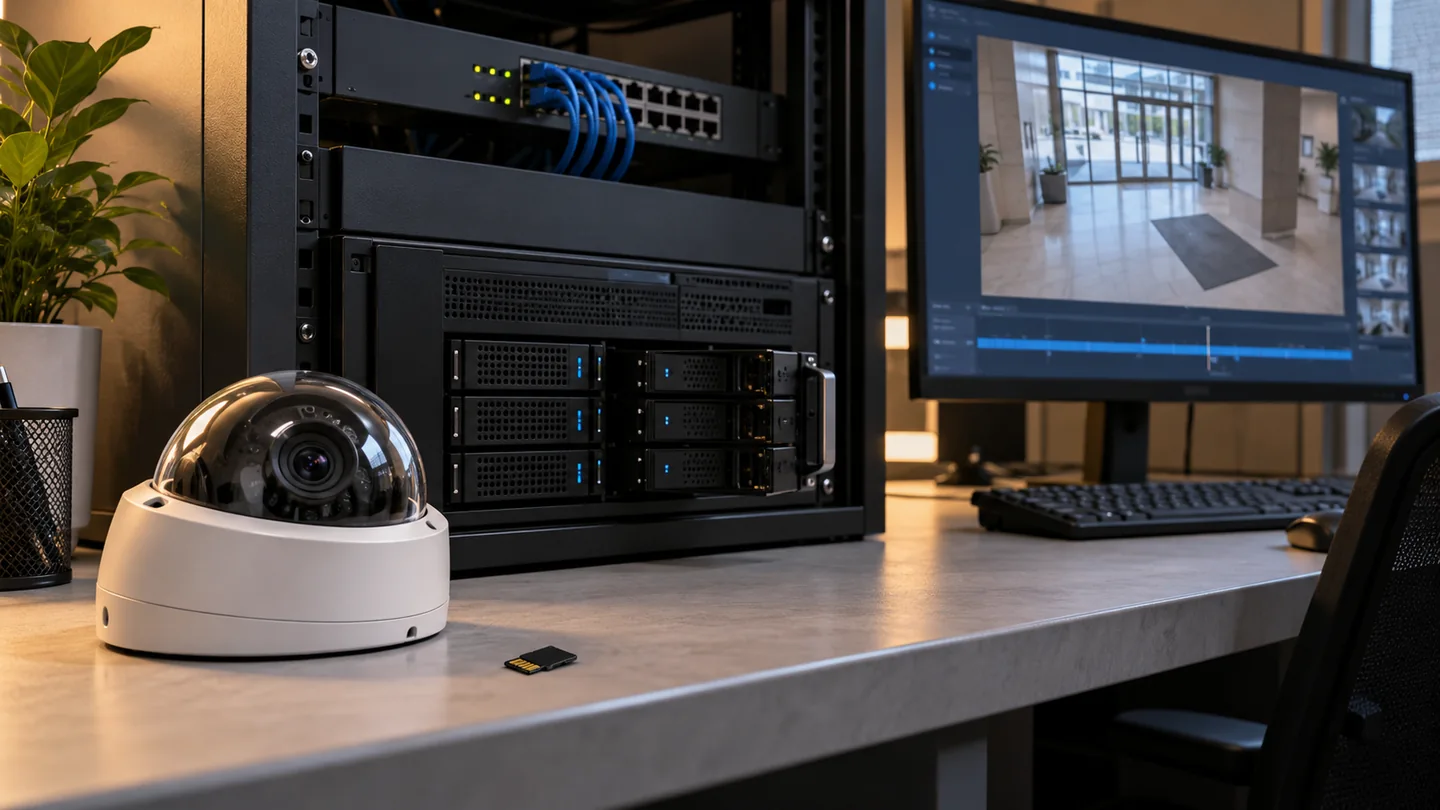
The best CCTV storage architecture is the one that preserves the evidence you need through the failures your site can realistically experience. Compare local NVR, camera storage and cloud services by recording continuity, retrieval, recovery and ownership—not by the word “cloud” alone.
In this guide
- Separate recording, viewing and analytics
- Local NVR or VMS storage: where it fits
- Edge storage: useful protection with device-level limits
- Cloud recording: specify what the subscription actually buys
- A transparent upload calculation
- Recovery time matters as much as outage duration
- Compare failure domains before choosing a hybrid design
- Retention, privacy and evidence export
- A practical acceptance and outage test
- What to include in the BOQ and comparison sheet
- Frequently asked questions
- Prepare an architecture-focused CCTV enquiry
Separate recording, viewing and analytics
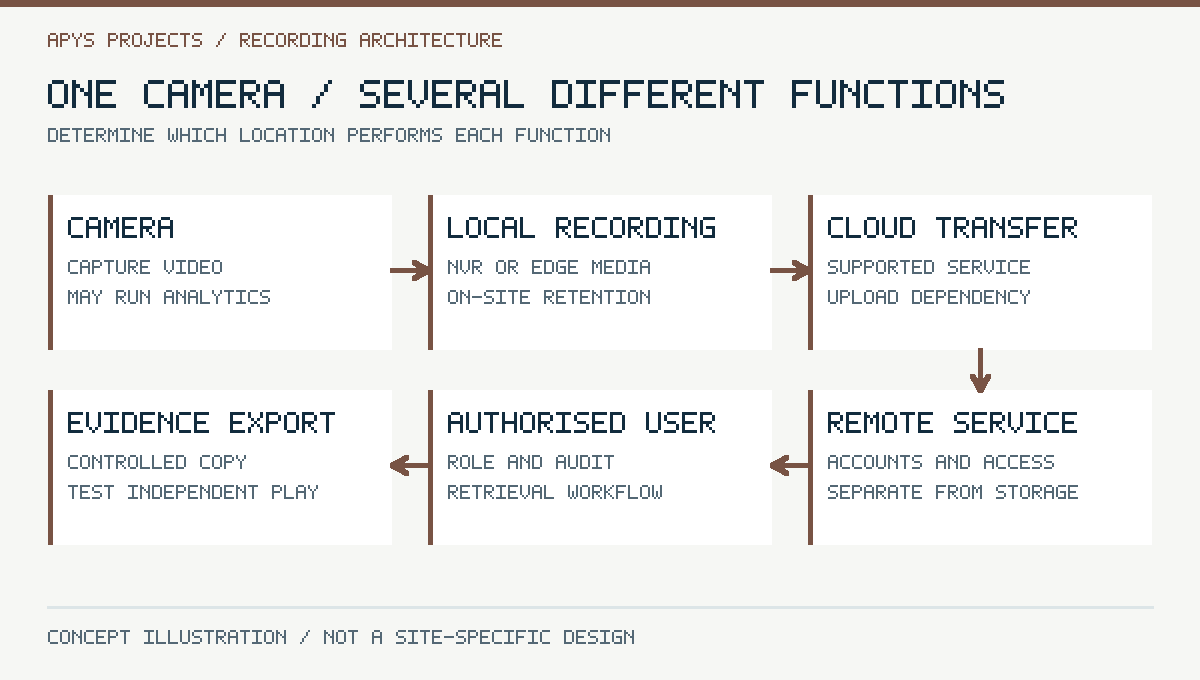
A cloud-connected camera does not necessarily store all its footage in the cloud. A locally recording system can use a cloud service for remote viewing. An edge camera can run analytics without being the only location where video is retained. Ask where video is recorded, where events are processed, where accounts are managed and which functions need the Internet.
Draw each function independently. If Internet access fails, local recording may continue while remote viewing stops. If the camera loses power, neither local memory nor cloud storage can create footage that was never captured. If the recorder is stolen, an independently stored copy may preserve earlier footage, subject to what had actually been transferred.
This guide addresses recording architecture and recovery. For detection accuracy and placement, use the AI CCTV guide. An analytics upgrade and a resilient evidence-retention design answer different questions.
Local NVR or VMS storage: where it fits
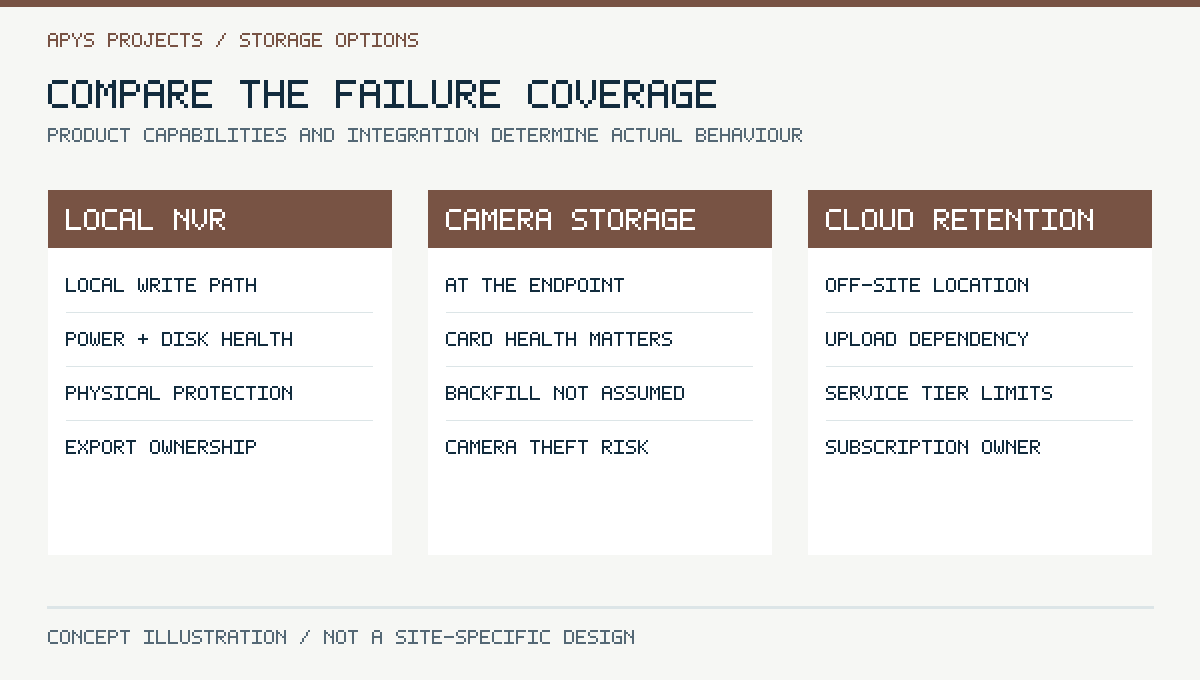
Local recording keeps the principal write path on the site network. It is often useful when continuous high-quality recording would consume too much Internet upload capacity or when on-site playback must work through WAN interruptions. The recorder still needs protected power, capacity planning, health monitoring and physical security.
A disk array is not an independent backup. Depending on its configuration, redundancy can help tolerate a disk failure, but it does not protect against every deletion, theft, fire, software fault or administrative mistake. Replacement and rebuild time also affect risk. Specify the actual resilience arrangement rather than describing every multi-disk recorder as “fully redundant”.
Check how many simultaneous incoming streams, playback sessions and exports the system supports at the proposed settings. Storage capacity and processing throughput are separate limits. Ask which features or licences become necessary when adding cameras later.
Edge storage: useful protection with device-level limits
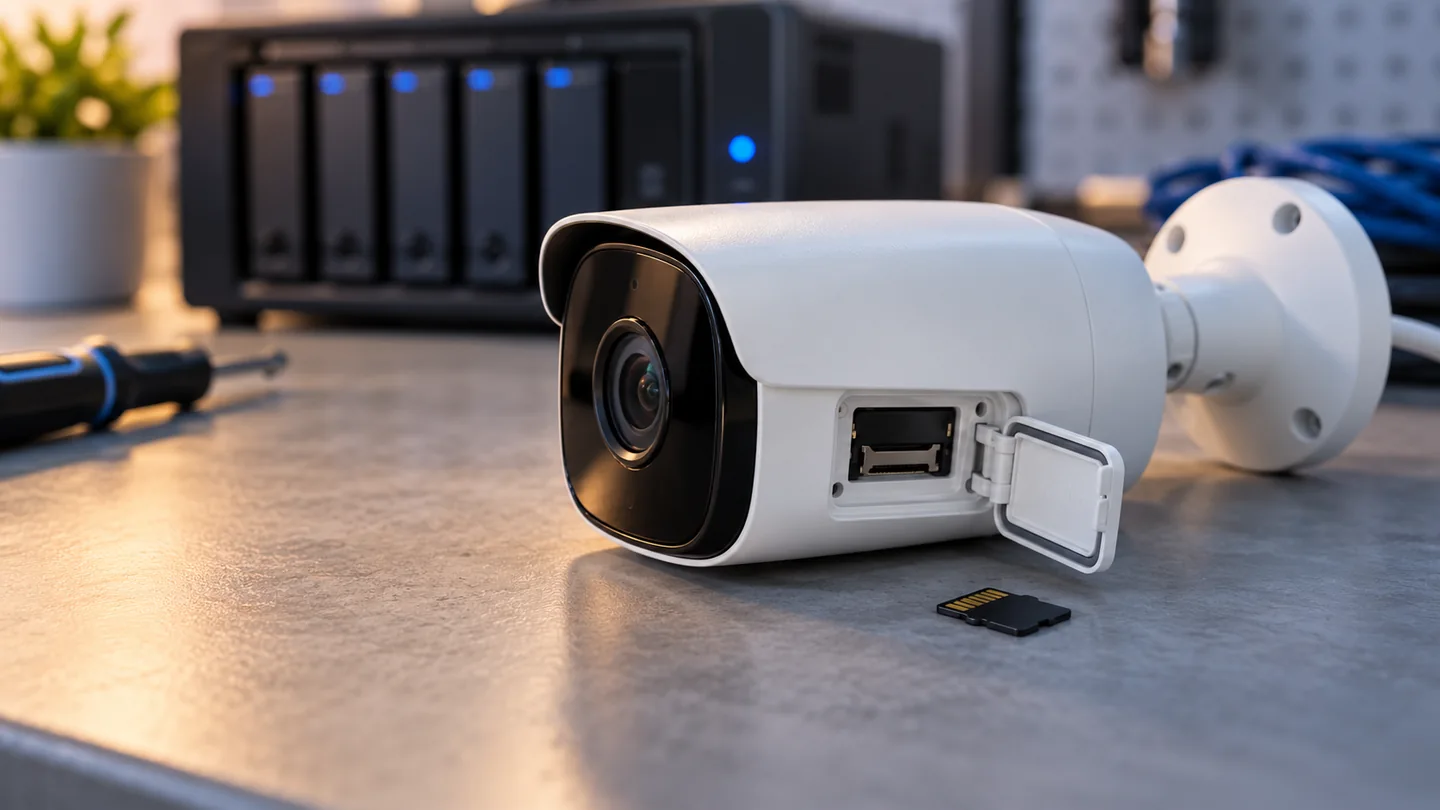
Edge storage records at the camera, commonly on a compatible surveillance-grade memory card. It can be a primary recording location in a supported design or a complement to a recorder. Its value depends on card endurance, capacity, monitoring, encryption options and the camera’s behaviour when the card is full or unhealthy.
Automatic backfill is a product-and-integration feature, not an assumption. A camera may record locally during a recorder outage, yet the VMS may not automatically recover the missing interval into the normal timeline. Demonstrate the exact reconnection and retrieval workflow before promising that edge storage eliminates gaps.
Consider physical loss as well. A card inside a stolen camera is not an off-site copy. An inaccessible camera can also make recovery difficult. The design should state whether footage is retrieved directly, synchronised to another service or exported manually.
Cloud recording: specify what the subscription actually buys
Cloud services can simplify multi-site access and place retained footage away from the protected location. They also introduce dependencies on upload connectivity, service availability, account ownership and ongoing commercial terms. Distinguish cloud-managed local recording from cloud retention of the video itself.
Compare retained resolution, frame rate, continuous versus event recording, storage duration, number of camera channels and export capabilities. A licence described in camera-days may not include the maximum stream quality available from the camera. Confirm regional service availability and the account holder’s ability to retrieve and delete data.
Understand the exit path. What happens when a subscription expires, the supplier relationship ends or the company changes platform? Obtain the export procedure and renewal responsibilities in writing. A low first-year cost does not establish the project’s long-term cost.
A transparent upload calculation
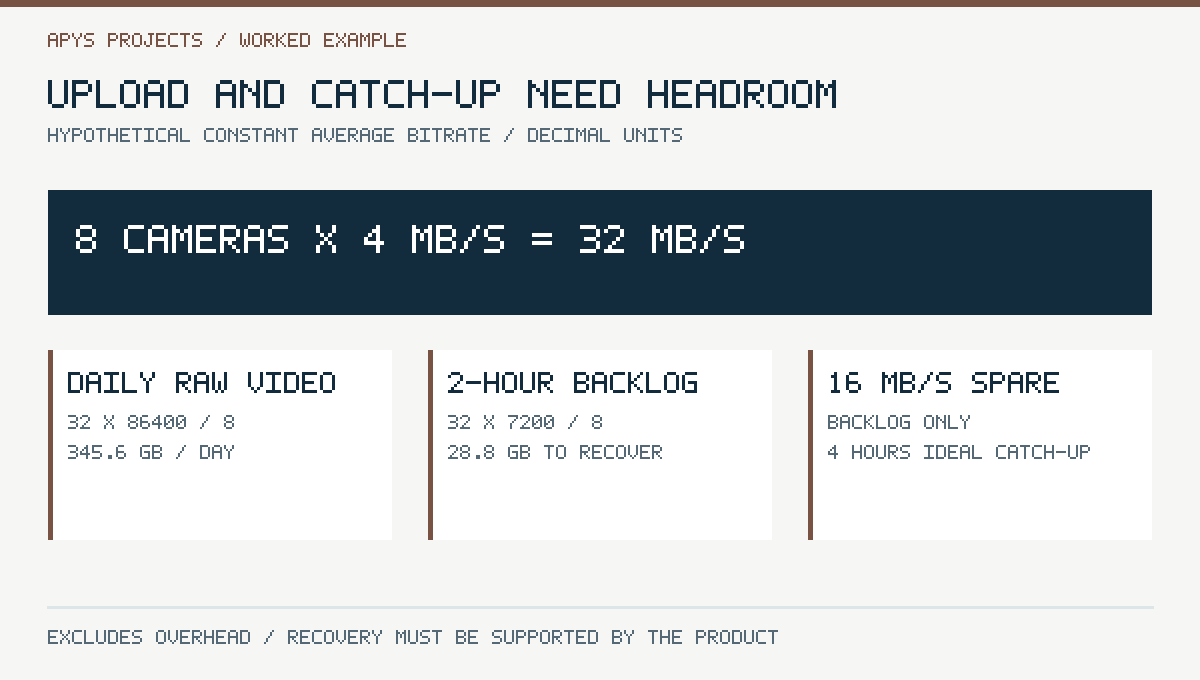
Assume eight cameras each producing an average 4 Mb/s stream for continuous upload. This hypothetical workload totals 32 Mb/s before protocol overhead and any other Internet use. Over 24 hours, raw video volume is 32 × 86,400 ÷ 8 = 345,600 MB, or 345.6 GB using decimal units. Thirty days would produce 10.368 TB before additional storage effects.
These figures are not a camera performance guarantee or a cloud licence specification. Real bitrate varies with codec, scene activity, exposure noise, frame rate, compression controls and configuration. Event-only transfer can reduce traffic but depends on the event policy. A quiet daytime sample should not be treated as a worst-case nighttime measurement.
Measure sustainable upload capacity at the site and reserve room for other business traffic. Download speed is not the upload budget. If the connection cannot keep up with the recording workload, the design needs a supported lower-volume policy, more upload capacity, local retention or a combination.
Recovery time matters as much as outage duration
Suppose the same eight-camera system must transfer a two-hour backlog: 32 Mb/s × 7,200 ÷ 8 = 28.8 GB of raw video. If a supported recovery mechanism has 16 Mb/s available specifically for backlog after ongoing traffic and overhead are accounted for, the idealised catch-up time is four hours. Actual recovery may take longer.
Do not confuse total uplink speed with spare recovery capacity. A link running at the live workload has no headroom to clear a backlog. The camera or recorder must also have enough local retention to avoid overwriting evidence while transfer catches up. Verify recovery scheduling, rate limits and what the operator sees during the incomplete interval.
If the product does not support backlog upload, extra bandwidth alone will not add that feature. Ask for a demonstration using the proposed firmware, recording plan and service tier.
Compare failure domains before choosing a hybrid design
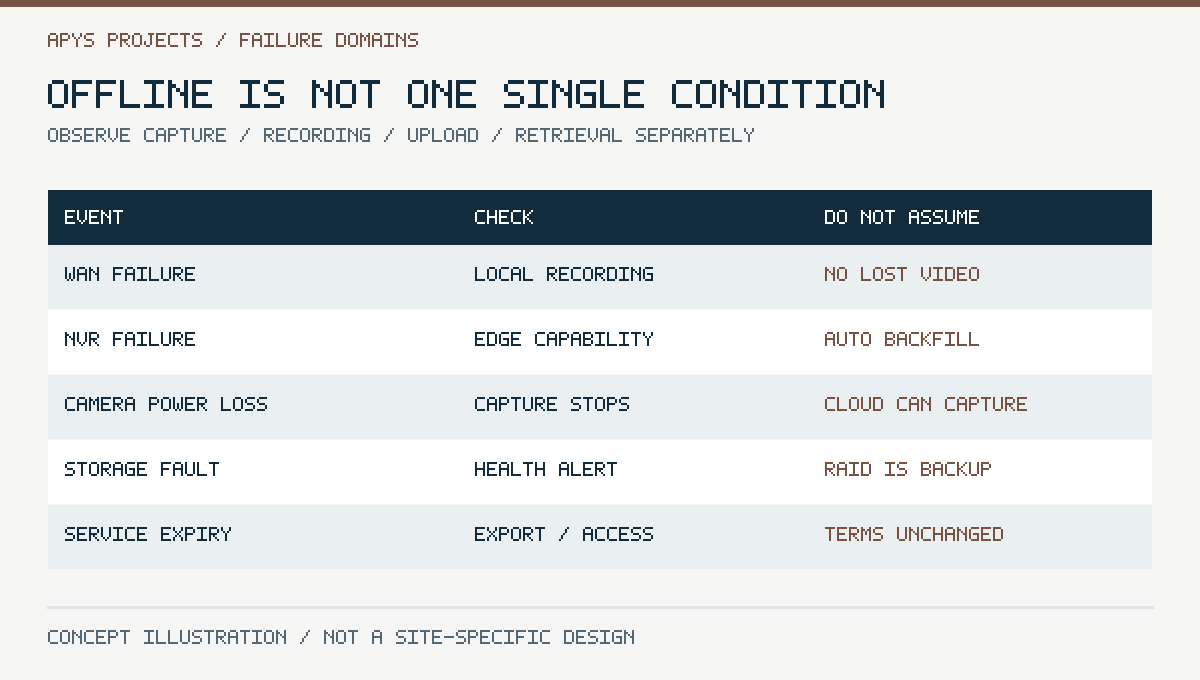
| Failure | Possible impact | Design question |
|---|---|---|
| Internet interruption | Remote access or cloud transfer unavailable | Does local recording continue and how does recovery work? |
| Recorder outage | Central local recording interrupted | Is supported camera recording available and retrievable? |
| Camera power loss | No new capture from that camera | Which power path and alert cover the endpoint? |
| Disk or card failure | Retention reduced or stopped | How quickly is it detected and replaced? |
| Theft or site damage | Local evidence may be lost | Was an independent copy already retained? |
| Account or service problem | Cloud access may fail | Who owns the account and the recovery process? |
Hybrid should mean complementary failure coverage. Two storage locations powered by the same failed UPS do not provide independent capture. A cloud copy that contains only low-resolution events is useful for some purposes, but it should not be described as a full-quality duplicate of every local recording.
Retention, privacy and evidence export
Define retention from the organisation’s purpose and applicable obligations. Avoid recording unnecessary audio or private areas merely because the equipment supports it. Restrict who can view, export or delete recordings. An incident export may need different handling from routine rolling retention.
Test export on a separate authorised workstation. Confirm timestamps, camera identity, playback software, image quality and any supported integrity-verification information. A clip that works only on the installer’s laptop is an incomplete handover. Keep the original export when an incident procedure requires it and control additional copies.
Cloud storage does not remove privacy responsibilities. Ask about storage region, access controls, service terms and account recovery. Legal and compliance requirements depend on the deployment and should be confirmed by the responsible organisation; the architecture diagram is not a compliance certificate.
A practical acceptance and outage test
- Record a known test event with clear timestamps and camera identity.
- Verify live view, recorded playback and export at the agreed settings.
- With authorisation, interrupt the Internet path and document local behaviour.
- Restore connectivity and demonstrate supported backlog recovery.
- Test an agreed recorder-unavailable case without compromising operational coverage.
- Confirm storage-health alerts reach an owned destination.
- Verify remote-user revocation and owner account recovery.
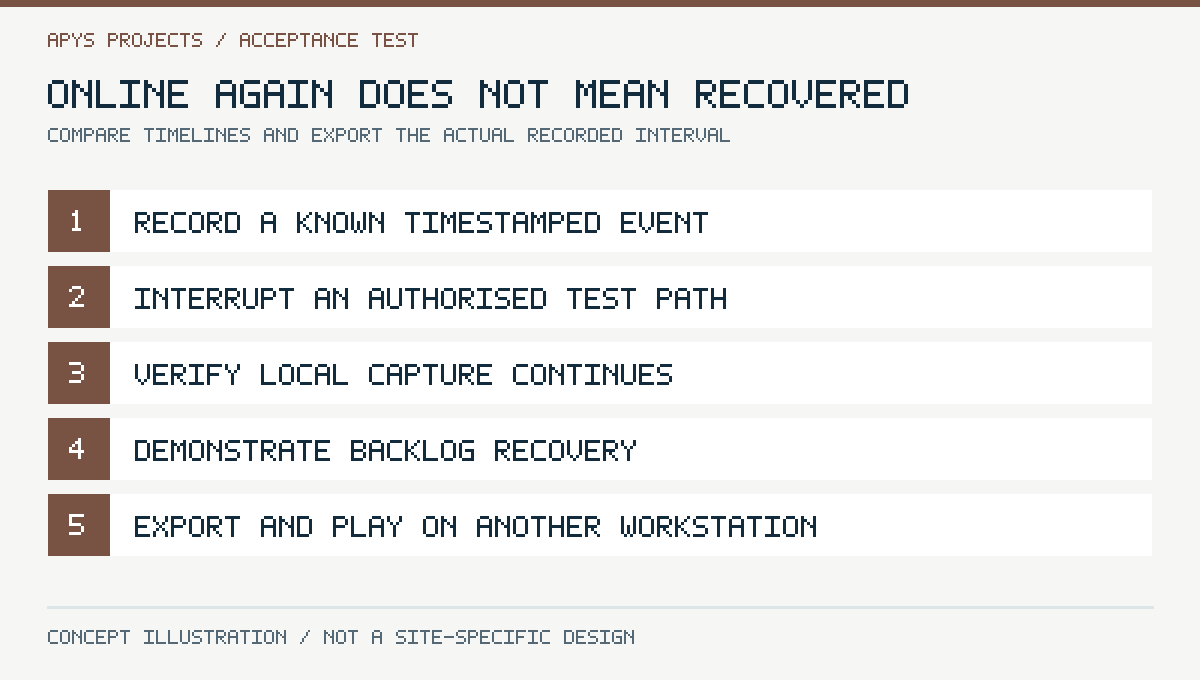
Record the start and end of each interruption and the actual missing or recovered intervals. Keep a clear difference between “camera came back online”, “live viewing resumed” and “all expected footage became retrievable”. They are not the same acceptance milestone.
What to include in the BOQ and comparison sheet
List camera streams, storage locations, required local media, recorder capacity, upload assumptions, power protection, subscriptions and the acceptance scenarios. Ask for the cost and responsibility of replacement cards or drives, service renewal and incident exports. Specify expansion limits and support lifecycle as well as day-one camera count.
For a hypothetical small branch, local recording with supported edge continuity and selective off-site retention may be appropriate. A different site may justify cloud-first retention. Select the architecture after examining its failure modes and operating constraints; neither option wins every comparison.
Frequently asked questions
Does cloud CCTV stop recording when Internet fails?
It depends on the supported architecture. Local capture may continue, while cloud upload or remote viewing stops. Test the actual product and service tier.
Is an SD card a backup?
It can provide another recording location, but it shares the camera’s physical risks and has finite capacity. Its recovery integration must be verified.
Can every NVR recover footage from every camera card?
No. Confirm interoperability and demonstrate recovery of the missing interval.
Will RAID protect against theft?
No. Disk redundancy and an independently retained off-site copy cover different failure types.
Prepare an architecture-focused CCTV enquiry
Share camera count, current stream settings, upload connectivity, retention needs, power backup and the failures you want the design to tolerate. The APYS Projects contact page can be used to discuss CCTV and networking scope across India.
Also review PoE power budgeting and the dual-ISP failover guide when assessing shared infrastructure.
Sources and technical references
Primary documentation reviewed on 19 October 2026. Device features, licences and regional availability must be confirmed for the selected product and firmware. Worked examples are hypothetical, not APYS client measurements.