Technical review: 19 October 2026 · 8 min read · Technical diagrams and AI-generated photographic concepts
Separating CCTV from office users reduces unnecessary exposure only when the traffic paths are actually controlled. This guide turns “put the cameras in a VLAN” into a documented design for cameras, recorders, operators, administrators and remote support.
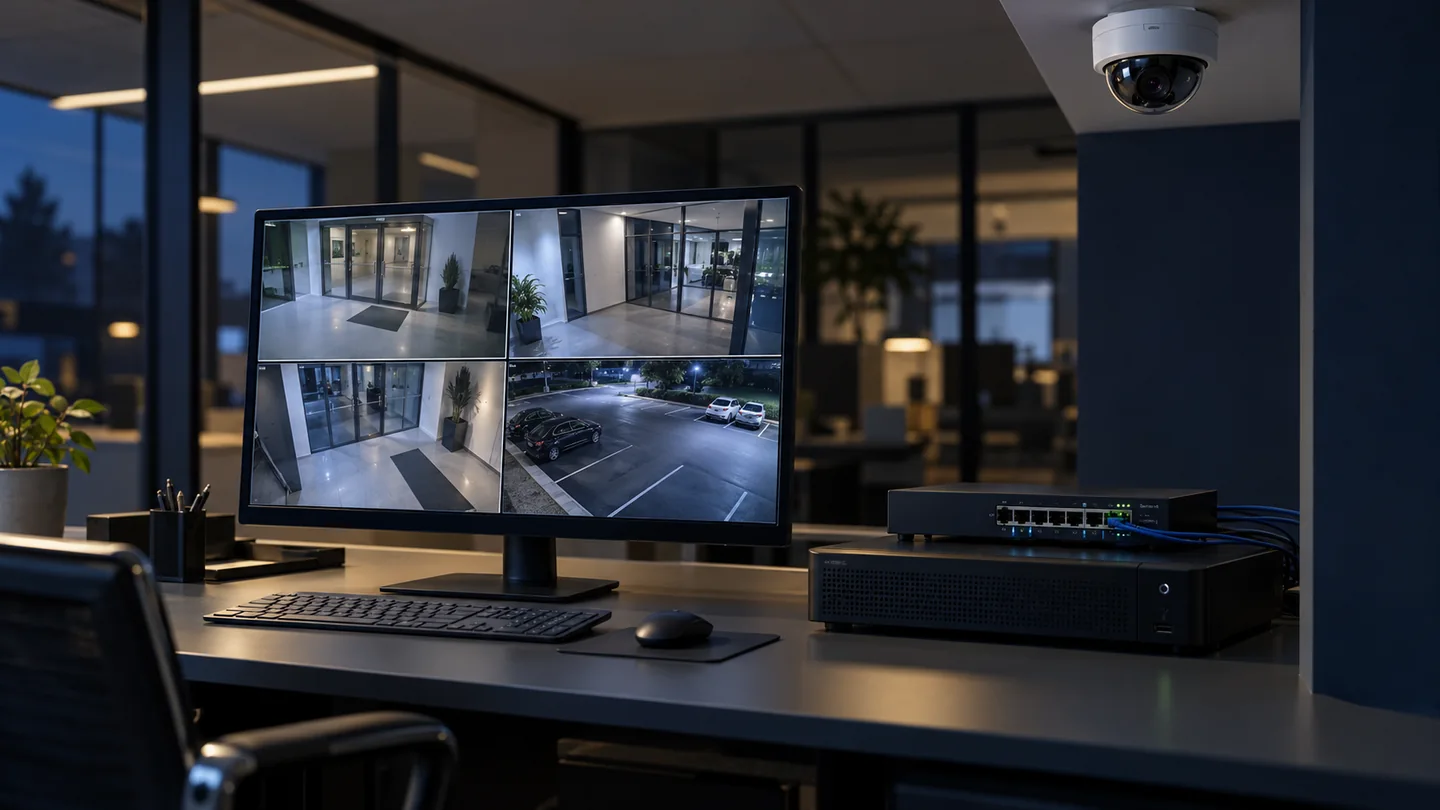
In this guide
- Define the threat and the operating requirement together
- Why a separate VLAN is only the starting point
- Use zones with clear owners
- Build a flow matrix instead of copying port numbers
- Internet access and remote viewing need separate decisions
- Harden the devices as well as the network
- A worked example for an office with 24 cameras
- Test security and recording together
- Handover that survives the next maintenance visit
- Frequently asked questions
- Plan the networking and CCTV scope together
Define the threat and the operating requirement together
A camera is a network-connected computer, often installed where physical access is less controlled than in a server room. A recorder may contain sensitive footage and administrative credentials. A useful security design considers unauthorised viewing, tampering, stolen equipment, vulnerable software and misuse of legitimate accounts as well as the availability of recording.
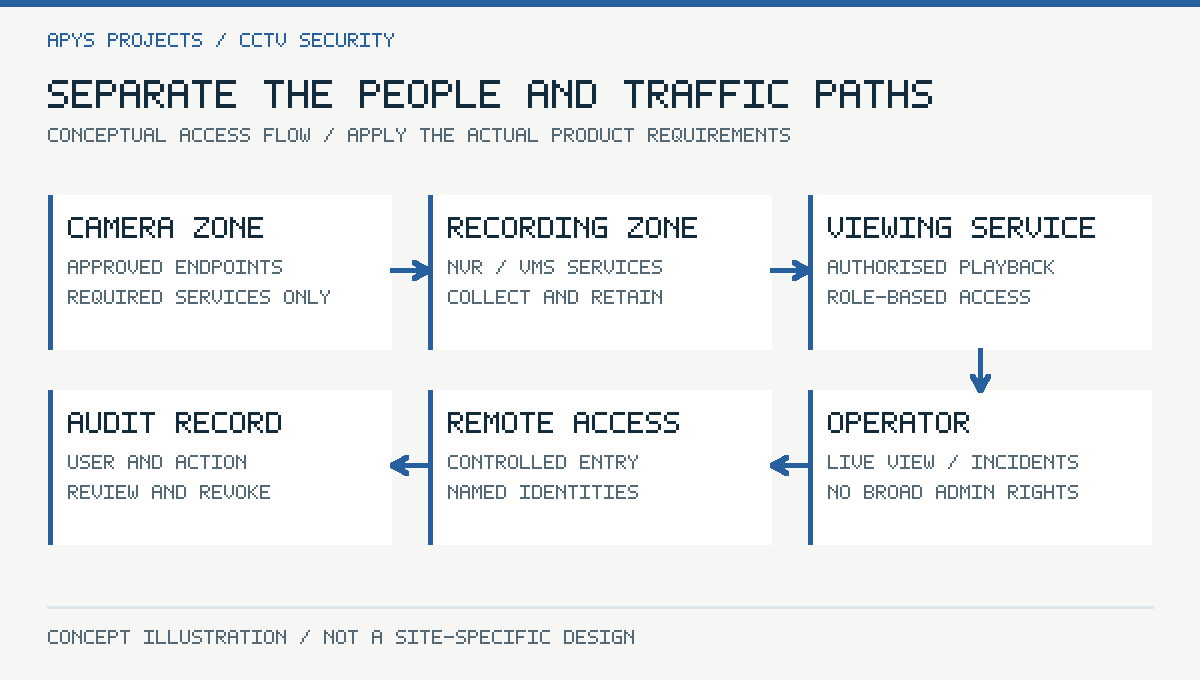
Begin with the people who need the system. A guard may need live views, a facilities manager may retrieve incidents, and an integrator may require temporary maintenance access. These are different permissions. Record the camera groups, authorised viewing roles, retention purpose and incident-export procedure before writing network rules.
This article focuses on traffic containment and administration. Camera placement and AI alert tuning are covered separately in the smart CCTV detection guide. A secure network cannot repair an unusable field of view, and a sharp picture does not demonstrate secure access.
Why a separate VLAN is only the starting point
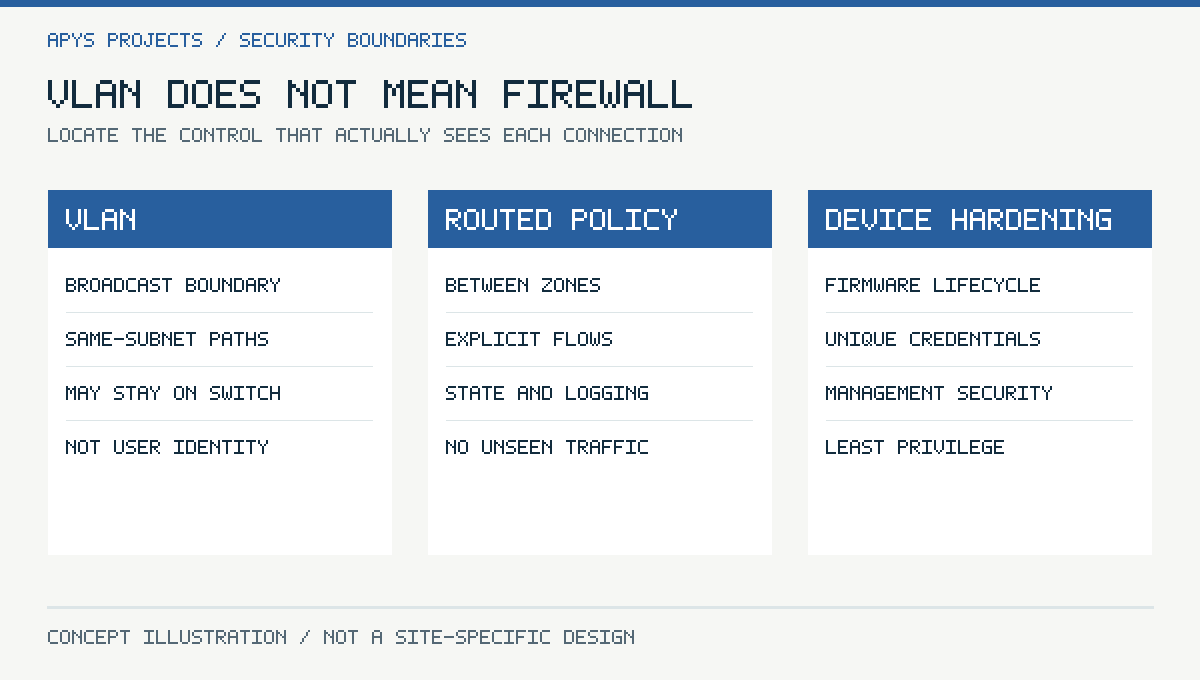
A VLAN creates a logical broadcast domain. If unrestricted routing connects that VLAN to every other subnet, the separation may provide little useful access control. The boundary that matters is the policy governing communication between cameras, recording services, office users and management tools.
Same-VLAN traffic also deserves attention. Two devices on the same subnet may communicate directly through the switch without passing an inter-VLAN firewall. Depending on the risk and supported hardware, consider port isolation, private VLANs, device-side filtering or finer segmentation. Do not claim that the router logs every camera-to-camera packet unless the actual forwarding path makes that true.
Physical separation can be justified for some sites, but a second switch is not automatically a complete security boundary. Shared uplinks, remote access, management interfaces and dual-connected workstations can reconnect the environments. Draw the complete path, including support laptops.
Use zones with clear owners
| Zone | Typical members | Design intention |
|---|---|---|
| Camera zone | IP cameras and approved encoders | Recording and required infrastructure flows only |
| Recording zone | NVR or VMS recording services | Collect streams; restrict administration |
| Operator access | Guard stations and approved viewers | Use the viewing service with limited roles |
| Management zone | Authorised maintenance workstation or jump host | Controlled configuration and updates |
| Office and guest networks | Ordinary users and visitors | No routine direct camera administration |
A small installation may combine some functions, while a larger site may separate them further. The important deliverable is a reasoned policy, not an arbitrary number of VLANs. Avoid sharing an administrator account just because several roles use one workstation.
Build a flow matrix instead of copying port numbers
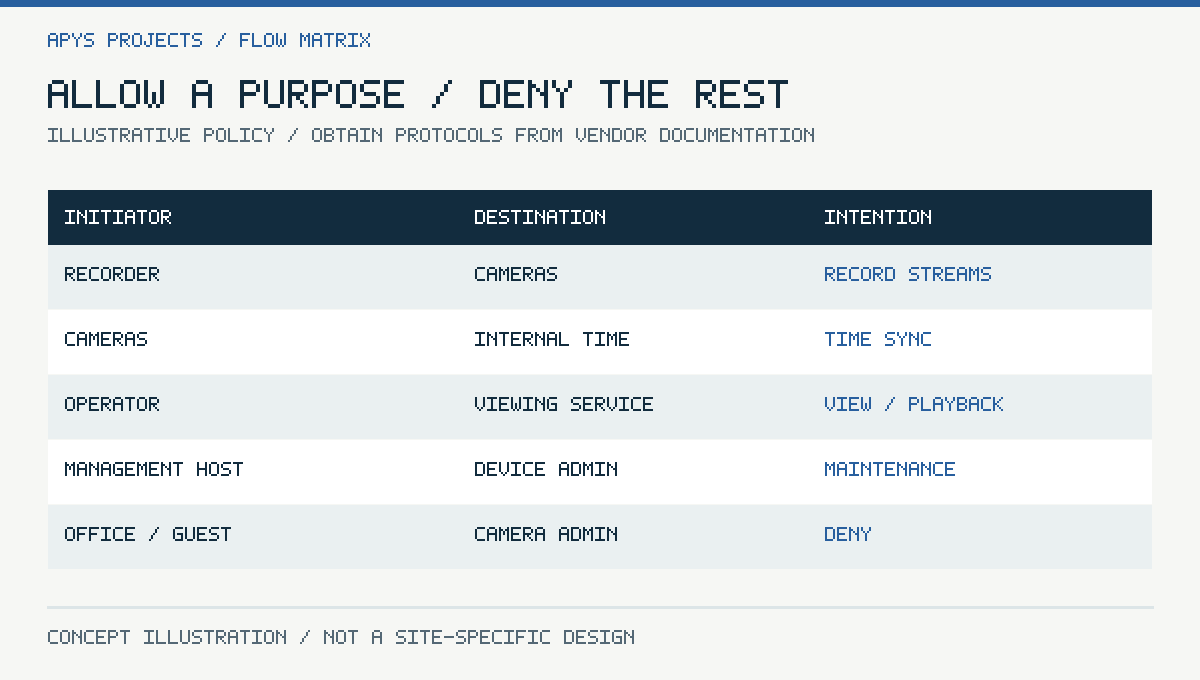
For every allowed connection, document source, destination, initiator, protocol, purpose and owner. Obtain the ports and connection behaviour from the chosen camera and VMS documentation. Discovery, video, events, time, DNS, licensing and software updates can use different services. A generic “CCTV port list” rarely captures the whole system correctly.
| Source → destination | Purpose | Policy approach |
|---|---|---|
| Recorder → cameras | Stream acquisition and supported control | Permit documented services only |
| Cameras → recorder | Push events or media where required | Allow only for the actual integration |
| Cameras → internal time/DNS | Accurate time and name resolution | Named infrastructure destinations |
| Operator → viewing service | Live view and playback | Role-based access; no broad management rights |
| Management host → devices | Maintenance | Authorised source and change window |
| Office/guest → cameras | No justified routine purpose | Deny and verify |
A stateful firewall normally tracks replies to an allowed session, but applications may also initiate separate reverse connections. Capture the actual behaviour during a controlled pilot. Do not add an unrestricted reverse rule merely because a discovery tool is inconvenient.
Internet access and remote viewing need separate decisions
Some installations need no camera Internet access. Others use a supported cloud service for remote viewing or management. Allow the documented destinations and transport requirements for the chosen architecture, then verify that updates and licensing continue to work. An allow-list must be maintained when the supplier changes endpoints.
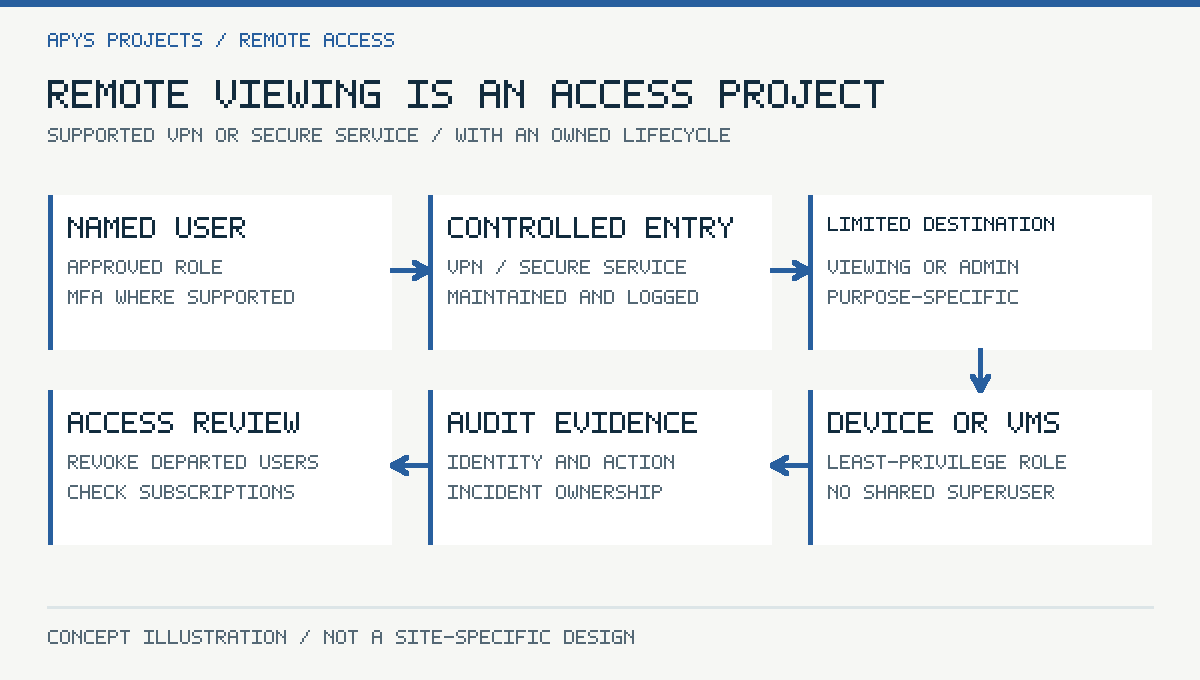
Avoid publishing camera or NVR administration directly to the public Internet as the default convenience solution. A properly managed VPN or supported secure access service can provide a controlled path, but it still needs identity, access scope, patching and a way to revoke access. “P2P” on a box is not a complete explanation of the trust model.
Require named accounts for remote users, multifactor authentication where the chosen access system supports it, and time-limited integrator access. Check whether the remote service depends on a subscription and what happens if it expires. The owner should retain administrative control after handover.
Harden the devices as well as the network
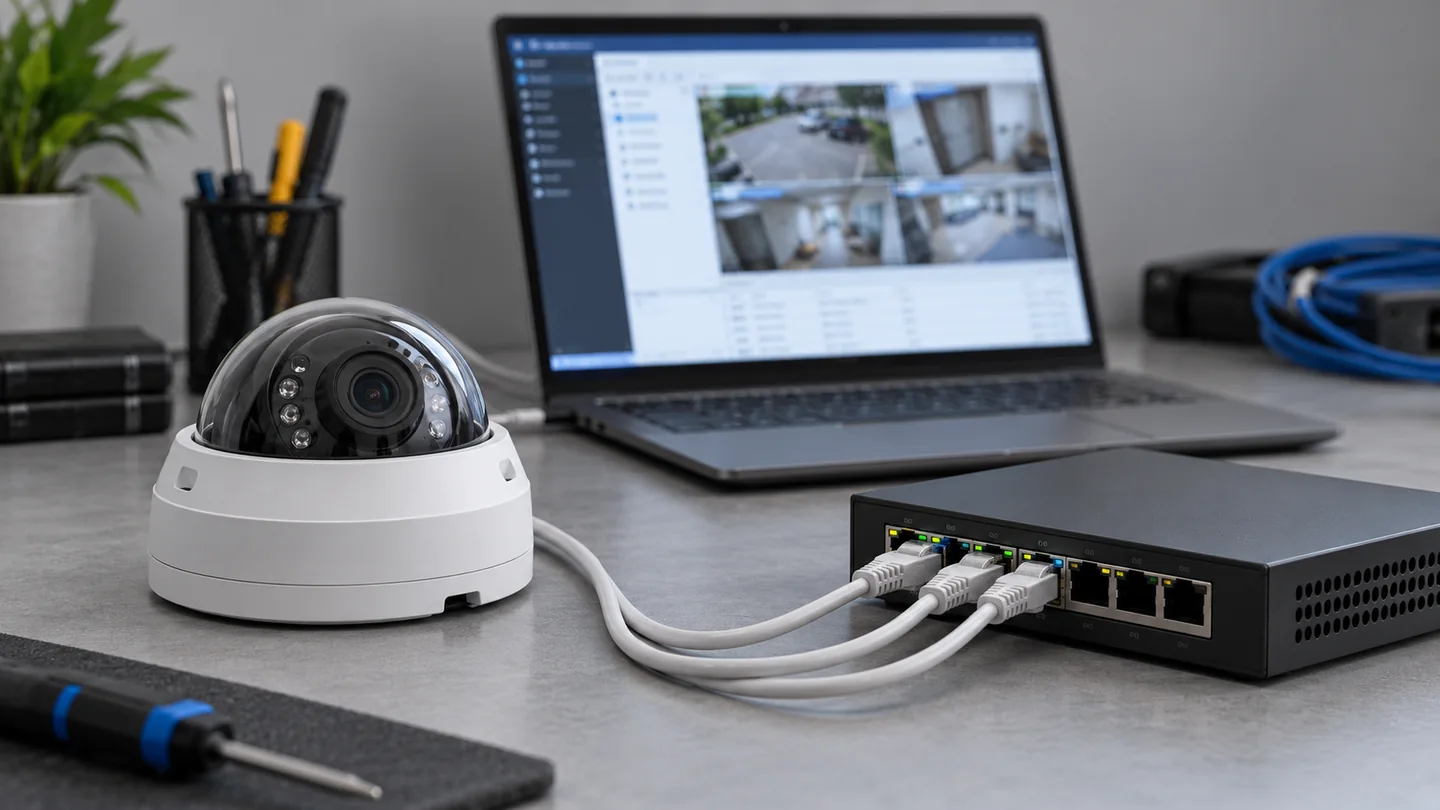
Network restrictions reduce exposure; they do not remove the need for maintained firmware and device configuration. Use unique credentials, least-privilege roles, encrypted management where supported and disabled services that are genuinely unnecessary. Follow the product hardening guide rather than applying settings intended for a different model or generation.
HTTPS encryption is useful, but a warning that everybody clicks through is not a certificate-management strategy. Decide how trusted device identities will be established and renewed. Check secure boot, signed firmware and update support where available, without assuming those features exist on every camera.
- Record model, serial number, firmware version and support lifecycle.
- Remove unused accounts and revoke departed users.
- Secure exports, backups and configuration files.
- Keep time synchronisation consistent across devices and the VMS.
- Document factory-reset and replacement procedures.
A worked example for an office with 24 cameras
Assume a hypothetical office with 24 cameras, one recorder, two guard workstations and an authorised maintenance host. The aim is to prevent ordinary staff and guests from directly managing cameras while preserving recording and incident retrieval. Addressing and VLAN identifiers should be chosen from the site plan, not copied from this example.
First verify recorder-to-camera streams and the integrations that genuinely need camera-initiated events. Then allow the guard workstations to the viewing service with their approved roles. Permit the maintenance host to management interfaces. Configure required internal time and DNS paths. Test a normal staff laptop and a guest device to confirm camera administration is unavailable.
Next test the paths that the rule table can hide: a camera-to-camera connection on the same switch, a vendor laptop connected at reception, a remote administrator and a workstation with both Wi-Fi and Ethernet active. Record which control enforces each boundary. The example does not assume one firewall can see traffic that never reaches it.
Test security and recording together
| Test | Pass condition | Evidence |
|---|---|---|
| Ordinary office user | Cannot reach camera administration | Source, destination and blocked attempt |
| Approved operator | Can view and retrieve authorised cameras | Role and successful workflow |
| Maintenance account removed | Remote access stops as designed | Revocation and subsequent denial |
| Allowed stream path | Continuous recording at agreed settings | Playback across the test window |
| Switch or link restart | Documented recovery and any recording gap | Timeline and health alerts |
| Time service disruption | Known alarm or documented behaviour | Timestamp comparison |
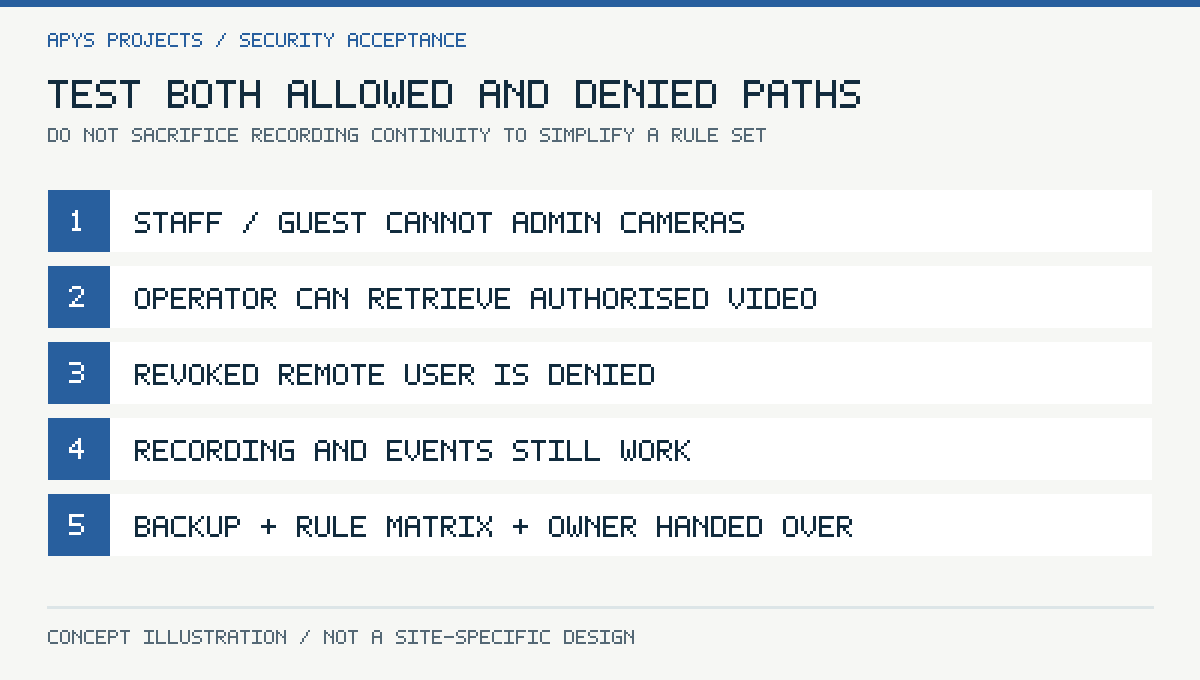
Coordinate tests with the owner so that security checks do not interrupt a live incident or critical operations. Test only systems in the authorised scope. Preserve enough evidence to repeat the result without putting passwords or unnecessary footage into an ordinary project folder.
Handover that survives the next maintenance visit
Provide an as-built zone diagram, addressing plan, flow matrix, firewall-rule backup, account ownership record and maintenance procedure. Include the source of the allowed-port requirements and the firmware versions used during acceptance. A later VMS upgrade may change dependencies, so the rule set needs an owner who can review those changes.
The incident process should define who may export footage, where it is stored, who receives it and when temporary copies are deleted. An exported file outside the recorder can remain exposed even after the recorder’s own retention period ends. Set retention and disclosure practices with the responsible organisation; there is no universal period suitable for every site.
Frequently asked questions
Can CCTV and office traffic share physical cabling?
They can share a designed switching infrastructure when capacity, power, segmentation and management requirements are met. Shared hardware should not imply unrestricted access.
Will a VLAN stop a compromised camera attacking another camera?
Not necessarily. Traffic within the VLAN may bypass the router. Additional supported controls or a different segmentation design may be needed.
Should every camera have Internet access?
Only when its documented function requires it and the access is controlled. Recording, remote viewing and firmware updates may have different dependencies.
Does successful live view prove the security rules are correct?
No. Verify denied paths, operator permissions, recording continuity, retrieval and remote-user revocation too.
Plan the networking and CCTV scope together
For a review, prepare the camera and recorder inventory, network diagram, remote-viewing requirements and the roles that should be allowed to retrieve footage. Share sensitive configuration through an agreed secure method. Use the APYS Projects contact page to discuss the project across India.
Related reading: office firewall planning and network handover documentation.
Sources and technical references
Primary documentation reviewed on 19 October 2026. Device features, licences and regional availability must be confirmed for the selected product and firmware. Worked examples are hypothetical, not APYS client measurements.