Technical review: 29 October 2026 · IPv4 troubleshooting for office networks · Original technical visuals and AI-generated photographic concepts
A duplicate IP address occurs when independent devices claim the same address on a network where those claims collide. To fix it reliably, identify both claimants, confirm which device should own the address, correct the endpoint and the allocation source, then verify the real service. Restarting devices or clearing ARP tables alone does not repair an overlapping address assignment.
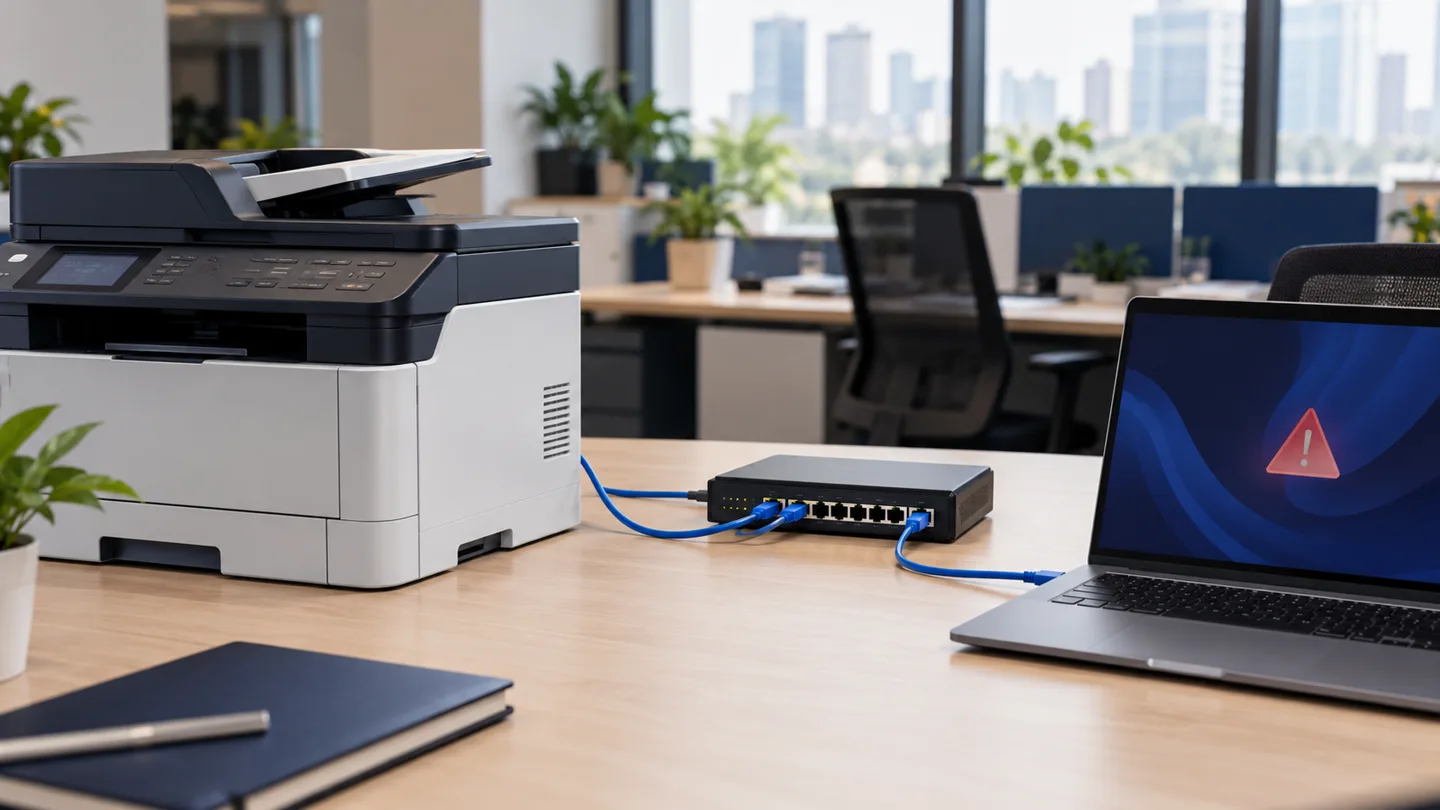
A printer that sometimes disappears, an NVR that opens the wrong interface or a laptop displaying an address-conflict warning can all justify this investigation. None of those symptoms proves the cause on its own. This guide focuses on ordinary IPv4 Ethernet and Wi-Fi LANs; IPv6 uses different neighbour-discovery mechanisms. It is separate from our DHCP no-address troubleshooting and DNS resolution troubleshooting guides.
In this guide
1. What an IPv4 conflict looks like—and what it does not prove
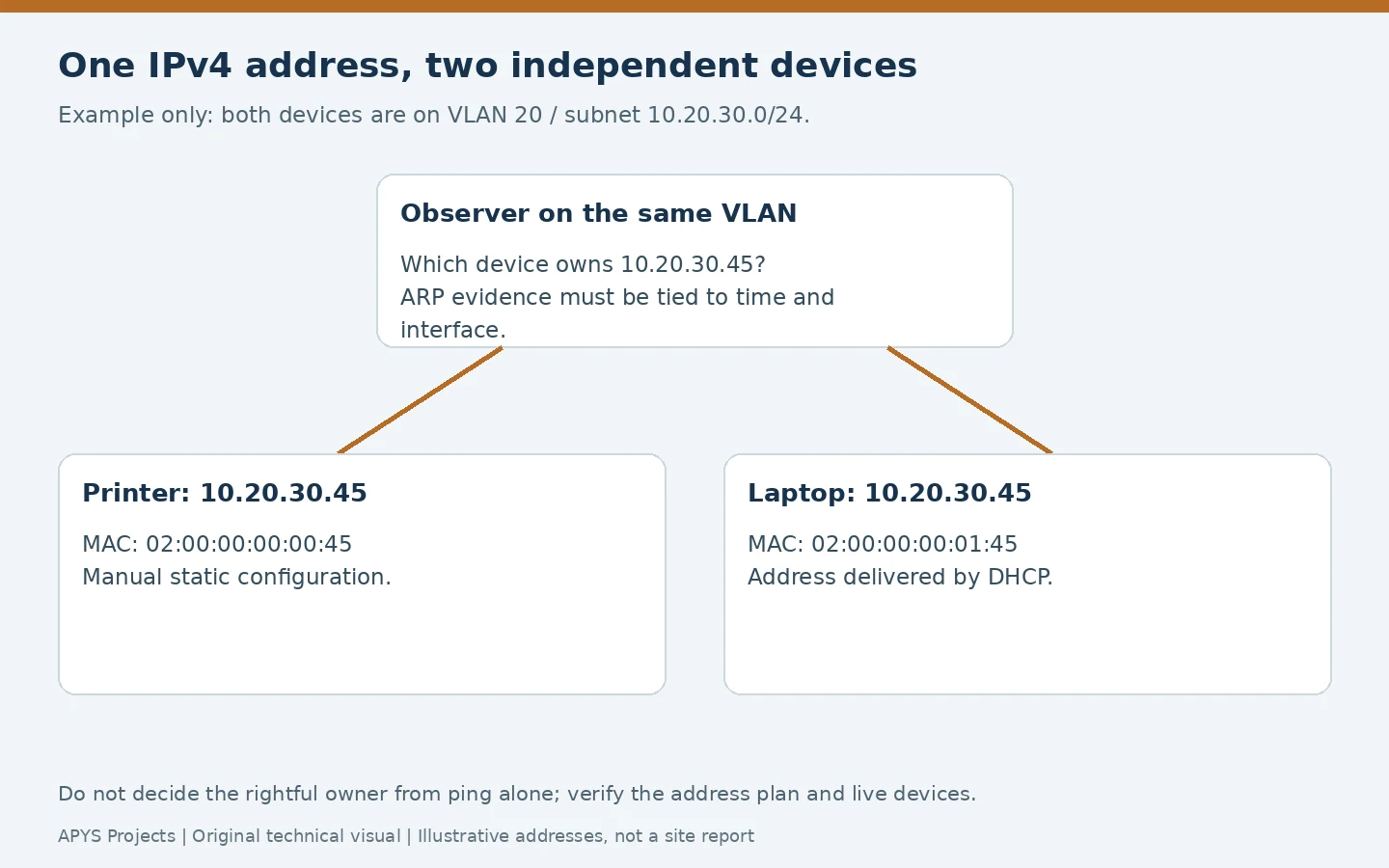
On a normal local link, a sending device needs a link-layer destination for an IPv4 neighbour. ARP provides that mapping; RFC 826 defines the underlying mechanism. If two independent devices claim the same local IPv4 address, different peers may learn different mappings or the mapping may change over time. One client may reach the printer while another reaches the wrong device or fails.
Conflict detection can also stop a device using an address, rather than producing constant traffic alternation. Symptoms therefore vary with the operating system, equipment and timing. An intermittent ping or a changed neighbour entry is a clue; it needs correlation with device configuration, VLAN and time.
| Observation | Useful evidence | Alternative explanation |
|---|---|---|
| Address-conflict warning on a laptop | Event timestamp, interface, proposed IP and packet capture | A device-tracking probe can trigger a warning without two configured owners |
| Printer works, then disappears | ARP changes, printer configuration and DHCP lease history | Sleep, Wi-Fi loss or a print-service fault |
| Same address opens an unexpected interface | Verified destination MAC and physical device | Proxy, NAT, stale naming or intended service publishing |
| Duplicate entries in a DNS report | Actual endpoint configurations and local-link evidence | Several DNS records can point at one legitimate server |
Private addresses can be reused in isolated sites, VRFs or separate network segments by design. Matching numbers in a spreadsheet do not establish a collision. Confirm the routing context and where packets actually meet. A VPN with overlapping private subnets can create a routing problem without two hosts fighting through ARP on one VLAN.
2. Common causes: the assignment process matters
The most useful question is often, “How did each device receive this address?” A manually configured camera may occupy an address that DHCP later leases to a laptop. A replacement printer may inherit the old printer’s address while the original remains connected. A cloned virtual machine, copied device template or unmanaged router can introduce another claimant.
- Static address inside a dynamic range: the manual assignment was never excluded or otherwise protected in the approved allocation design.
- Uncoordinated DHCP services: independently configured scopes allocate overlapping addresses without a supported shared-state design.
- Replacement equipment: both old and new devices retain the same configured address.
- Restored templates or snapshots: a restored system returns with an identity that is already in use.
- Lost records: the configuration in service no longer matches the inventory.
Supported DHCP failover and redundancy arrangements are different from two unrelated servers offering overlapping pools. Before disabling a server, identify the intended architecture and inspect its state. An address conflict is also different from MAC flapping: the latter concerns one MAC appearing on different switch ports and can point to loops or mobility.
3. Capture the affected endpoint’s configuration first
Record the failing service, time, IP, subnet mask, VLAN or SSID, adapter identity, gateway and assignment method. On Windows, these read-only commands are useful starting points; Microsoft documents ipconfig and the Get-NetIPConfiguration cmdlet.
ipconfig /all
Get-NetIPConfiguration
Get-NetIPAddress -AddressFamily IPv4
Get-NetAdapter | Select-Object Name, InterfaceIndex, MacAddress, Status
The first command works in Command Prompt or PowerShell; the remaining examples use PowerShell. Distinguish an active office adapter from an unused virtual adapter or VPN. A device can have multiple interfaces and multiple addresses. Record the relevant interface index alongside each observation, and compare the endpoint’s displayed configuration with the management system’s record.
Save the original error and relevant event entry before renewing leases or restarting. Do not copy a working colleague’s IP address as a test. Do not assume a device owns an address merely because its hostname or an old asset record says so. Logs and screenshots can reveal private network details; use approved support channels.
What a DHCP lease does—and does not—tell you
A lease shows that the DHCP service allocated an address to a client identity. It does not prove that no manually configured endpoint uses that address. Inspect exclusions, reservations, active leases and the device’s actual DHCP/static setting together. A reservation for one client does not force another client to stop using a manual address.
Microsoft’s DHCP troubleshooting guidance includes checking BAD_ADDRESS entries and relevant network features. Treat a declined or bad-address record as an investigation lead. Deleting the record without finding why it appeared can simply make the same address available for another failed assignment.
4. Trace the IP to a MAC address, then to the device
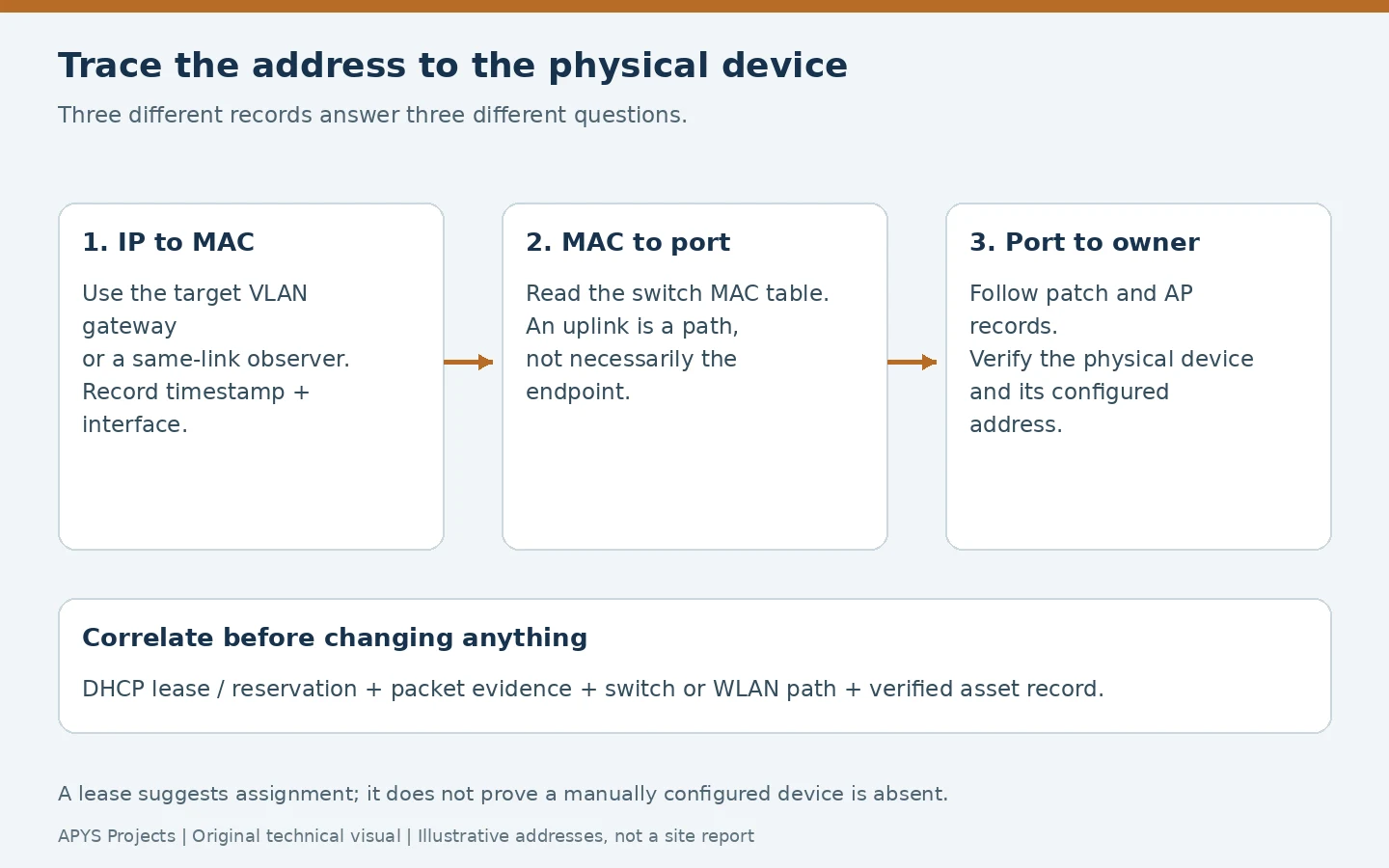
Choose an observer on the target VLAN, or inspect the target VLAN’s Layer 3 gateway. A workstation across a router normally learns its next-hop gateway’s MAC, not the remote endpoint’s MAC. An ARP lookup from the wrong network can therefore lead you to the wrong port.
arp -a
Get-NetNeighbor -AddressFamily IPv4 -IPAddress 10.20.30.45
10.20.30.45 is an illustrative private address: substitute the address under investigation. Windows arp displays cached IP-to-hardware mappings; Get-NetNeighbor exposes neighbour entries and interface information. A cache is a momentary observation, not a complete discovery scan. A single mapping cannot prove that a second device does not exist.
Record the same IP, VLAN, interface and timestamp when observing a different MAC. Generate only limited authorised traffic if needed to reproduce the failure. A silent device, filtered ICMP or a sleeping endpoint can make ping inconclusive. Do not run an aggressive scan across production systems to compensate for missing records.
Switch and wireless evidence
With authorised read access, look up the learned MAC on the switch. Common Cisco-style inspection examples are shown below; syntax and output vary by platform. Cisco’s MAC address-table troubleshooting reference illustrates the distinction between an IP/ARP record and a learned MAC-to-interface record.
show ip arp 10.20.30.45
show mac address-table address 0200.0000.0045
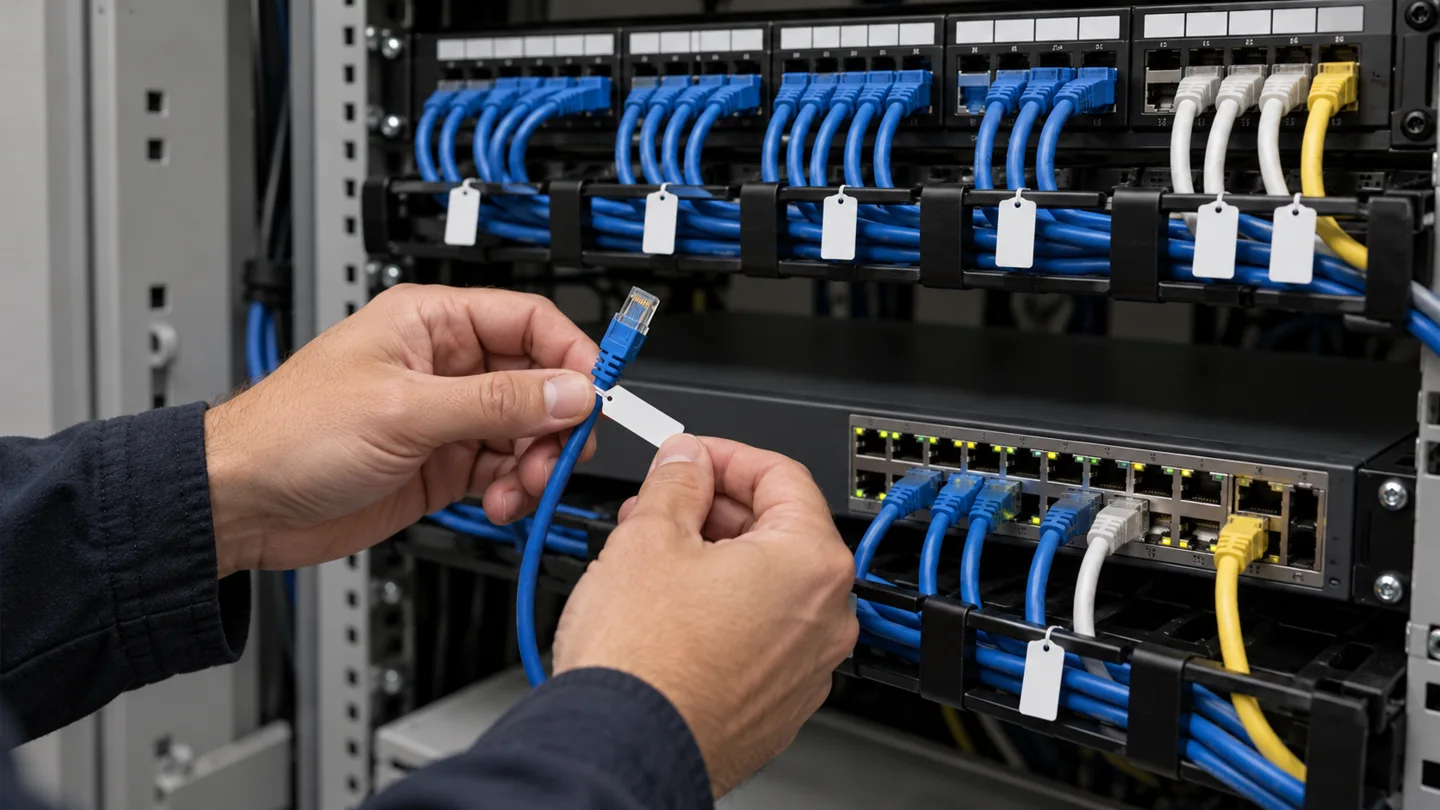
The MAC is an invented example. A Layer 2 access switch may not hold the needed remote IP-to-MAC record; obtain that association at the correct gateway first. If the MAC table points to an uplink, follow the documented downstream path instead of shutting the uplink. A port may serve a phone with a computer behind it, a small downstream switch or an access point.
For Wi-Fi, correlate the client with the WLAN controller or access point. Local bridging and centrally tunnelled designs expose different forwarding paths; the wired table does not always identify the final client location directly. Confirm the physical asset and owner before changing anything. A vendor prefix in a MAC address is a clue, not proof of device identity.
5. Use packet evidence when caches and records disagree
An approved capture on the relevant broadcast domain can reveal who probes for an address, who announces it and which hardware addresses claim it. A useful Wireshark ARP display filter for the illustrative address is:
arp && (arp.src.proto_ipv4 == 10.20.30.45 || arp.dst.proto_ipv4 == 10.20.30.45)This is a display filter after capture, not an instruction to collect the entire office’s traffic. Capture visibility depends on the observation point: a switched port does not receive every unicast frame on the VLAN. Use a specifically approved mirror session or capture point where necessary, protect the file and remove temporary monitoring configuration afterwards.
ARP probes can use sender IP 0.0.0.0 while testing a proposed target address. That is not proof that a user configured 0.0.0.0 as a normal host address. RFC 5227 defines IPv4 address-conflict detection, including probes and announcements. Interpret the message fields and sequence rather than treating every ARP packet containing the address as a competing owner.
6. Rule out false alerts and intentional shared identities
Some conflict warnings are caused by an interaction between address probing and network device-tracking features. Microsoft documents an Event ID 4199 scenario in which a switch or router probe arrives during the client’s detection phase. This is a reason to inspect timing and platform guidance, not to disable duplicate-address detection or network security across the site.
High-availability gateways can intentionally use a shared virtual address and a coordinated virtual MAC. VRRP, specified in RFC 9568, assigns forwarding responsibility for a virtual router. Similar-looking cluster or appliance arrangements require their own product documentation. Verify the intended design before renumbering a gateway or treating a virtual identity as an accidental duplicate.
A changing ARP mapping can also be suspicious activity, but it is not enough to accuse a user or declare an attack. Preserve evidence and follow the incident process if an unexpected device continues claiming a protected address. This article focuses on accidental allocation faults; a security incident needs a broader investigation.
7. Correct the assignment without creating a wider outage
Establish the intended owner using the approved address plan, the application’s dependencies and physical verification. The device responding at the moment is not automatically the rightful owner. Changing the wrong NVR, gateway, printer or controller can interrupt more users than the original conflict.
- Prepare access and rollback. Record current settings, dependencies and how to regain management access if the address changes.
- Isolate only a verified endpoint when necessary. Agree a short window with its owner. Do not disconnect an unidentified trunk, access point or shared phone port.
- Correct the unintended claimant. Restore approved DHCP operation or assign a verified available static address, including the correct mask, gateway and DNS configuration.
- Correct the source. Align scope boundaries, exclusions, reservations and provisioning templates. Check all services that can allocate addresses on that segment.
- Update dependencies. Review print queues, recording systems, monitoring, DNS and rules that legitimately depend on the changed address.
- Retest and document. Use fresh neighbour evidence and the business service, not only ping.
Lease release, renewal, adapter resets and address changes can interrupt a remote support session. Arrange local assistance or another approved access route first. Clearing a neighbour entry may refresh stale forwarding information after the correction; it does not make two simultaneously configured owners safe. Avoid static ARP entries as an improvised substitute for fixing allocation.
8. Worked example: a printer conflicts with a DHCP laptop
The following is an illustrative example, not an APYS client incident or a measured site result. A printer has a manual address of 10.20.30.45/24. A DHCP scope also includes .45. Later, a laptop receives that address. Printing becomes unreliable when the laptop is connected.
| Evidence | Finding | Decision |
|---|---|---|
| Printer configuration and asset record | .45 is intentionally assigned to the printer | Preserve that service address if the approved design still requires it |
| DHCP lease and laptop configuration | .45 was also allocated to the laptop | Correct the allocation overlap, not just the printer queue |
| Same-VLAN observation and port tracing | Two verified devices claim .45 | Make a narrow, coordinated correction |
| Post-change lease and application tests | Laptop has a different valid address; printer remains reachable | Observe recurrence conditions and close with evidence |
One possible correction is to exclude the approved printer address from dynamic allocation and move the laptop to another available DHCP lease in a controlled window. Excluding the address does not automatically revoke the laptop’s existing use, so verify its new configuration. Another design may move the printer to DHCP with a reservation; that requires a coordinated transition and confirmation that no other endpoint retains the old manual assignment.
The exact remedy depends on the DHCP platform and approved plan. Do not renumber the entire subnet, delete every lease or disconnect all printers because one overlap was confirmed.
9. Build an address plan that separates allocation methods
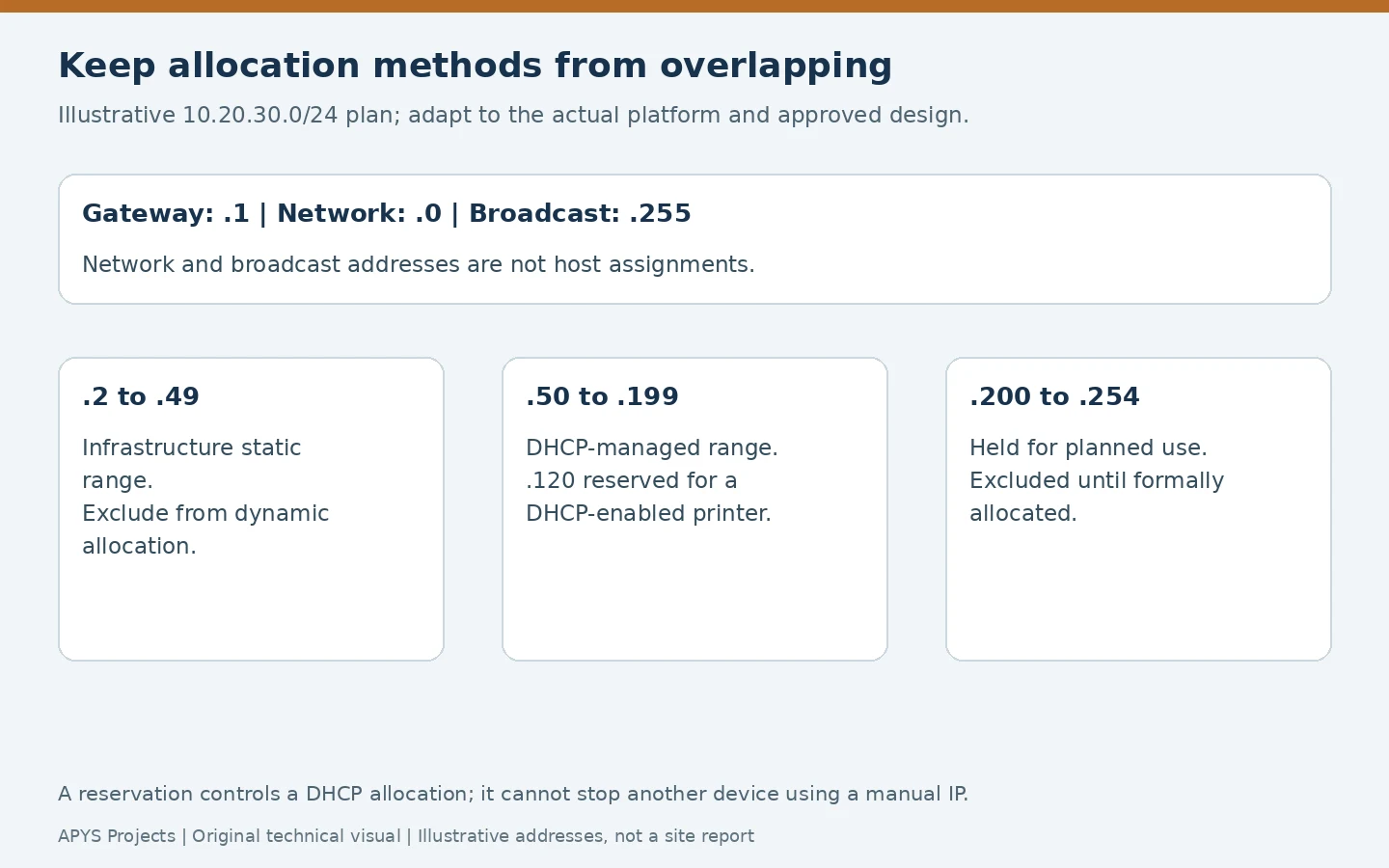
The visual is an example, not a universal subnet design. Static infrastructure, ordinary DHCP clients, held capacity and reservations need clear ownership. Microsoft’s DHCP scope guidance explains scope, exclusion and reservation concepts. A reservation is tied to a client identity; that identity is platform-dependent and should not be assumed to be identical to a visible MAC in every deployment. Follow the DHCP product’s supported placement and failover rules.
Maintain at least the subnet/VLAN, address, allocation method, asset, client identity where relevant, location, service owner and change record. Reserve an address in the register before deployment, verify the live configuration afterwards and retire old equipment explicitly. An address that does not answer ping today may belong to a powered-off device returning tomorrow.
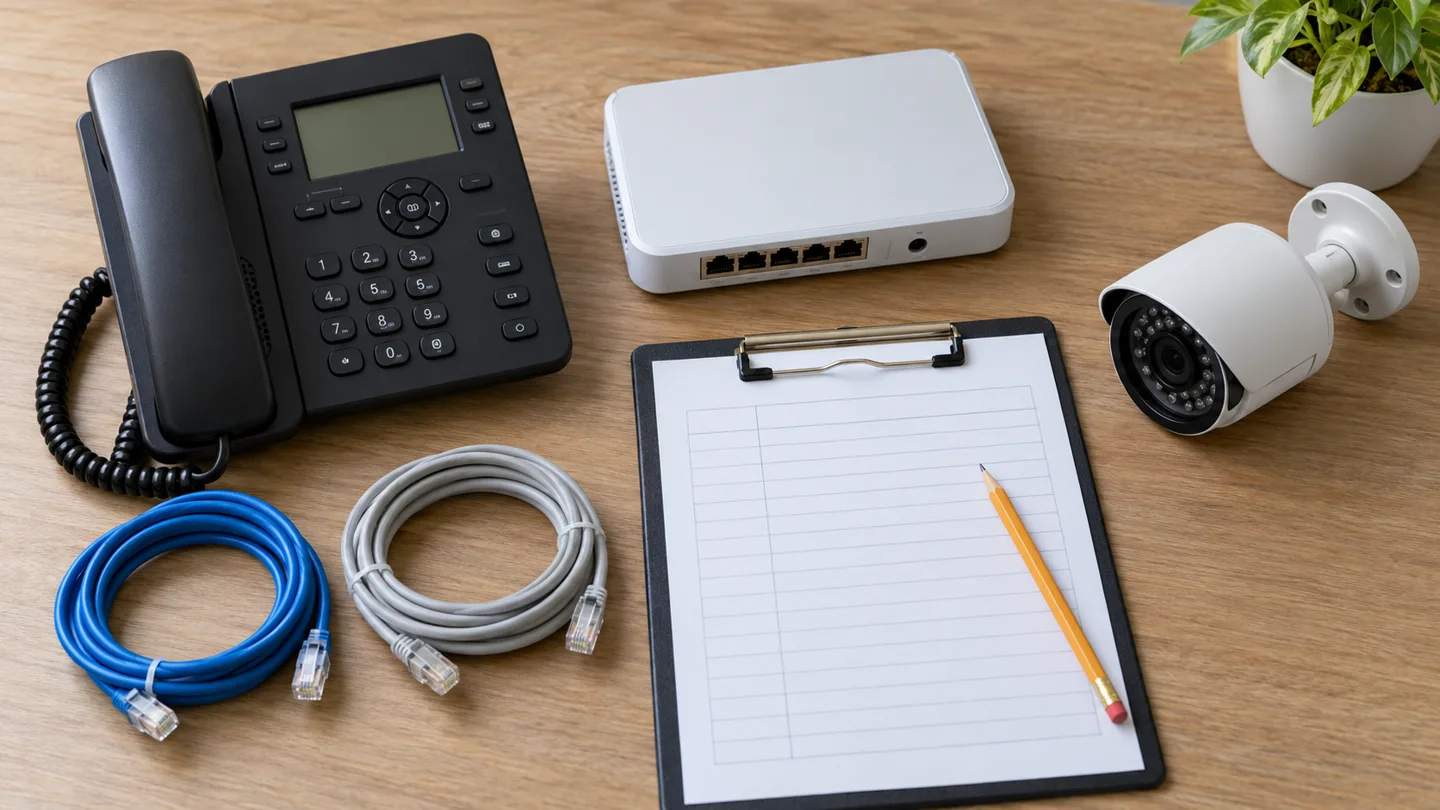
For devices supplied by another contractor, agree whether addresses are assigned manually or centrally, who approves them and who updates the record. A copied default IP across several cameras or controllers can create collisions during staging even before the final network is commissioned. Stage devices in a controlled environment and verify unique assignments before connecting them to production.
10. Verify the repair under the conditions that caused it
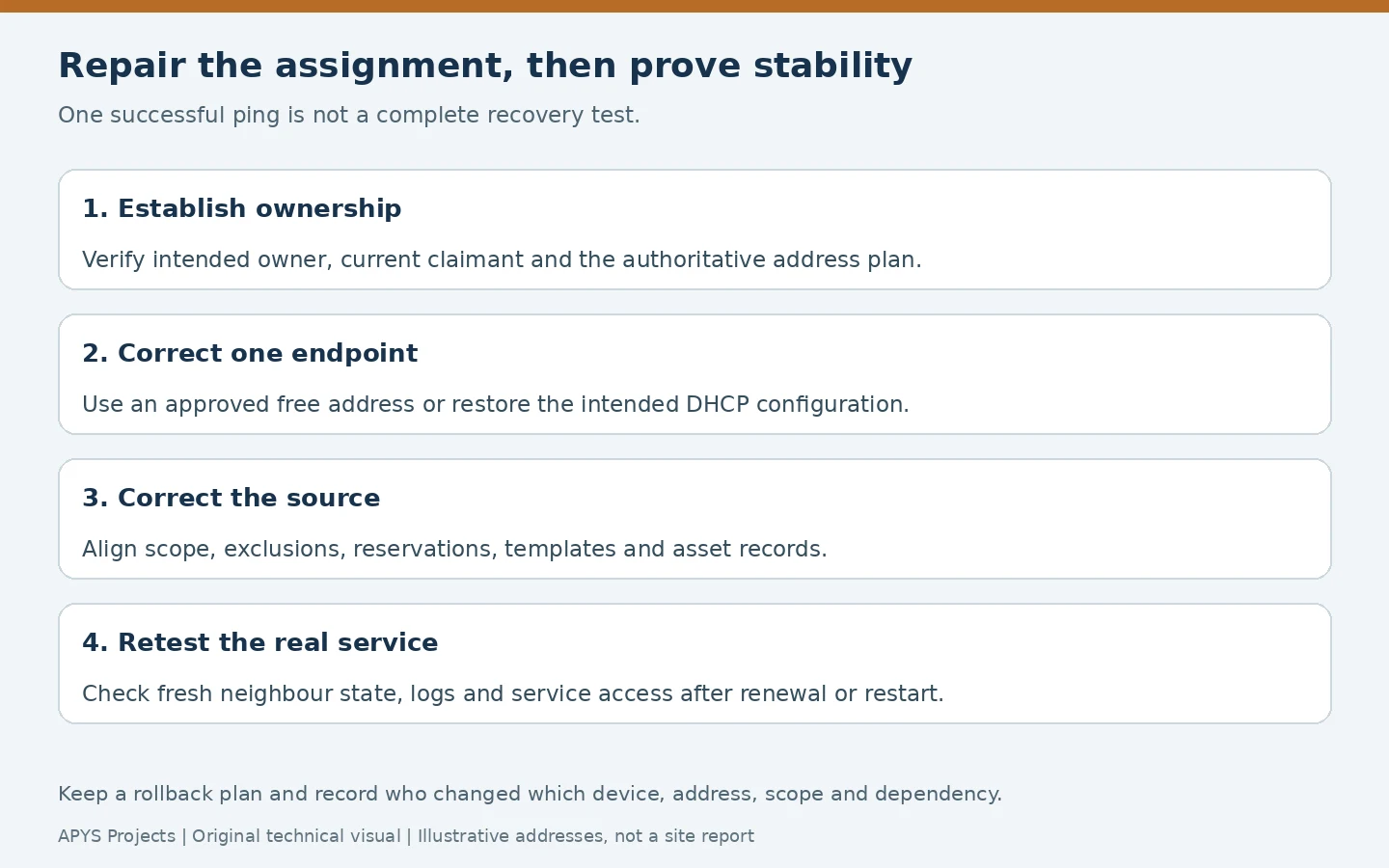
- Confirm the intended endpoint retains the correct address and the unintended claimant has a different valid assignment.
- Observe fresh neighbour entries on the relevant VLAN and check for repeated warnings or declines.
- Test the real service: print a job, verify the approved camera stream or open the required application.
- Check access from representative client networks and any monitoring system.
- Where safe and agreed, retest after lease renewal or device restart—the moment an old template or manual setting may return.
- Reconcile the final settings with scope configuration and asset records, and remove temporary overrides.
Do not promise a universal observation period. Cover the incident’s trigger and the site’s operational cycle. A laptop that caused the conflict only when it returned from a meeting must be included in the verification, rather than being left offline while the ticket is closed.
Worked allocation ledger: total free addresses are not all available to every client
Assume a hypothetical IPv4 /24 scope offers .50 through .199 inclusive. That is 199 − 50 + 1 = 150 addresses. Ten positions, .80–.89, are excluded for documented static infrastructure. Another ten positions, .100–.109, are reserved for specific DHCP client identities; they do not overlap the exclusions. Assume the selected platform holds those reservation addresses for their named clients, and no additional policies reduce the pool.
| Allocation class | Capacity / active | Remaining |
|---|---|---|
| Ordinary unreserved DHCP addresses | 150 − 10 exclusions − 10 reservations =130;95 active | 35 available to ordinary clients |
| Reserved DHCP addresses | 10 reserved;6 active | 4 for their designated clients, not four general-purpose spares |
| Combined eligible DHCP capacity | 140 positions;101 active | 39 unleased positions across both classes |
| Static exclusions | 10 positions held out of DHCP | Check actual static ownership separately; these are not DHCP lease capacity. |
Under these assumptions, reporting “39 addresses free” would overstate the ordinary-client headroom by four. Reservations govern allocation to named client identities; they do not force a manually configured device to stop using an address. Follow the selected DHCP product’s reservation, failover and pool rules. Microsoft’s scope documentation distinguishes these allocation concepts.
Keep a claimant ledger before making a change
For each suspected claimant, retain IP, VLAN/routing context, interface/client identity, observed MAC, DHCP/static mode, verified physical asset, switch/AP location, timestamp and evidence reference. An ARP probe with sender address 0.0.0.0 is testing an address; by itself it does not prove an established second owner. A lease record is an allocation record, not proof that no static device is present. Correlate independent evidence and rule out documented virtual/HA identities before declaring an accidental duplicate.
If a static exclusion is added after a laptop already acquired that address, do not assume the laptop immediately stops using it. Arrange a narrow change with an independent recovery route, verify the unintended claimant’s actual new address, then verify the intended asset and its business service while both devices are present. Record the final scope, reservation/exclusion and endpoint states together. Keep the original evidence; deleting a BAD_ADDRESS record or clearing ARP alone does not repair the allocation source.
Frequently asked questions
Can DHCP assign an IP already used by a static device?
Yes, an allocation overlap can occur when the static assignment is not properly accounted for. Detection mechanisms may help identify a problem but do not replace coordinated scopes, exclusions, reservations and endpoint records.
Does arp -a show both conflicting devices?
Not necessarily. The cache commonly shows a currently learned mapping for the observer’s interface. Compare timestamped evidence, verify the correct VLAN and use a suitable capture when necessary.
Will changing the DNS server fix a duplicate IP?
No. DNS changes name resolution; it does not correct two independent endpoint assignments colliding on the local network. Investigate DNS separately when address ownership and reachability are healthy.
Is a reservation enough for a manually configured printer?
A reservation governs DHCP allocation to the specified client identity. It does not force a manually configured printer to request DHCP or stop another device from using its address. Align the actual device mode and all allocation records.
Need help tracing an office IP conflict?
APYS Projects provides networking services across India. Use our contact page to describe the affected service, network segment, exact error and approved diagnostic evidence. For longer-term responsibilities, see what a network AMC should cover and the network handover documentation checklist.
Editorial review: 29 October 2026. Worked values are illustrative, not APYS site measurements. Use selected-model documentation and the approved project criteria for actual implementation.
Sources and technical references
- RFC 826: Address Resolution Protocol
- RFC 5227: IPv4 Address Conflict Detection
- Microsoft Learn: ipconfig
- Microsoft Learn: Get-NetIPConfiguration
- Microsoft Learn: DHCP scopes, exclusions and reservations
- Microsoft Learn: arp
- Microsoft Learn: Get-NetNeighbor
- Microsoft Learn: DHCP troubleshooting guidance
- Microsoft Learn: Event ID 4199 and probing interactions
- Cisco: ARP and MAC table inspection
- Wireshark: ARP display-filter reference
- RFC 9568: VRRP version 3