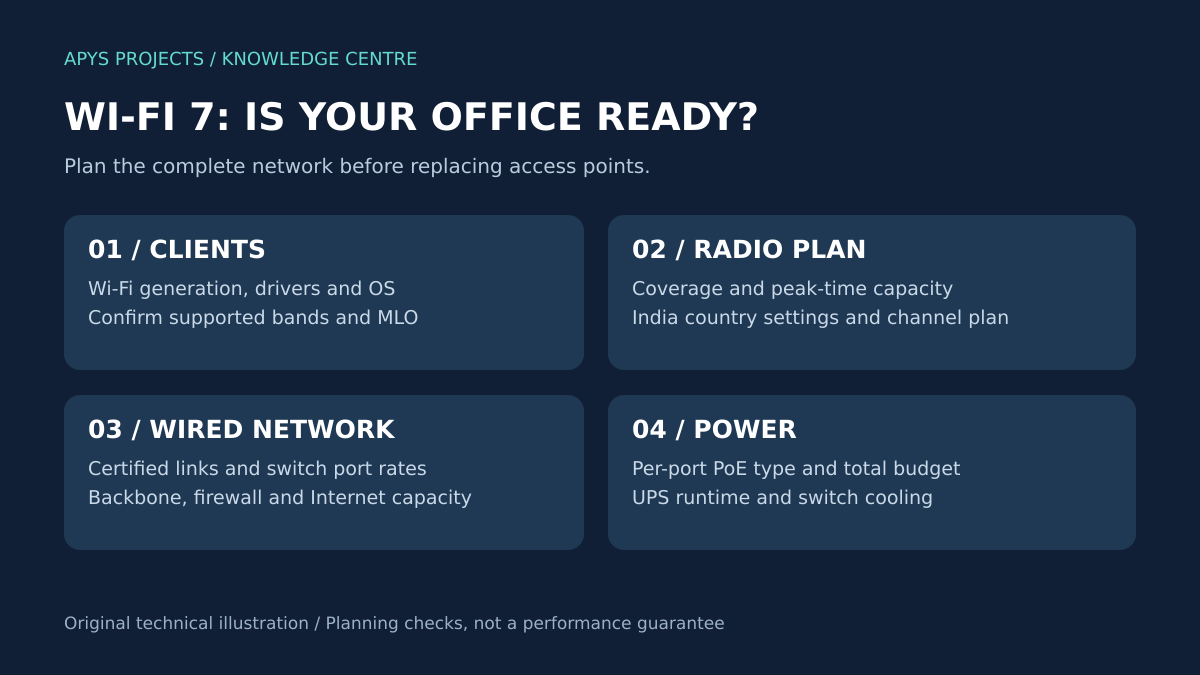
Wi-Fi 7 can improve office wireless capacity, but a successful upgrade depends on compatible clients, a suitable radio plan, reliable cabling, sufficient PoE and a wired network that can carry the traffic. Buying newer access points alone is not a complete upgrade strategy.
This guide is for office owners, facilities teams and IT managers planning a new fit-out or wireless refresh in India. It explains what to check before placing an order, how to avoid replacing useful infrastructure unnecessarily, and what evidence to request at handover.
Technical sources checked: 28 October 2026. All diagrams are original planning illustrations. The worked example is hypothetical, not an APYS client performance result.
Why Wi-Fi 7 is relevant to office planning in 2026
Enterprise vendors now offer Wi-Fi 7 platforms alongside guidance for upgrading switches and structured cabling. For a business already replacing laptops or opening a new office, this creates a useful planning opportunity: assess the wireless and physical infrastructure together rather than buy access points first and discover missing power or uplink capacity later. Cisco and Panduit’s current infrastructure guidance specifically addresses this relationship. [4]
The business question is practical: which application is currently failing, and will the proposed upgrade address its cause? Record whether users experience meeting interruptions, slow local file transfers, crowded meeting rooms, or weak coverage. These symptoms need different investigations. A Wi-Fi generation number cannot identify the cause by itself.
What changes with Wi-Fi 7?
Wi-Fi 7 is based on IEEE 802.11be. Three features deserve attention in an office evaluation:
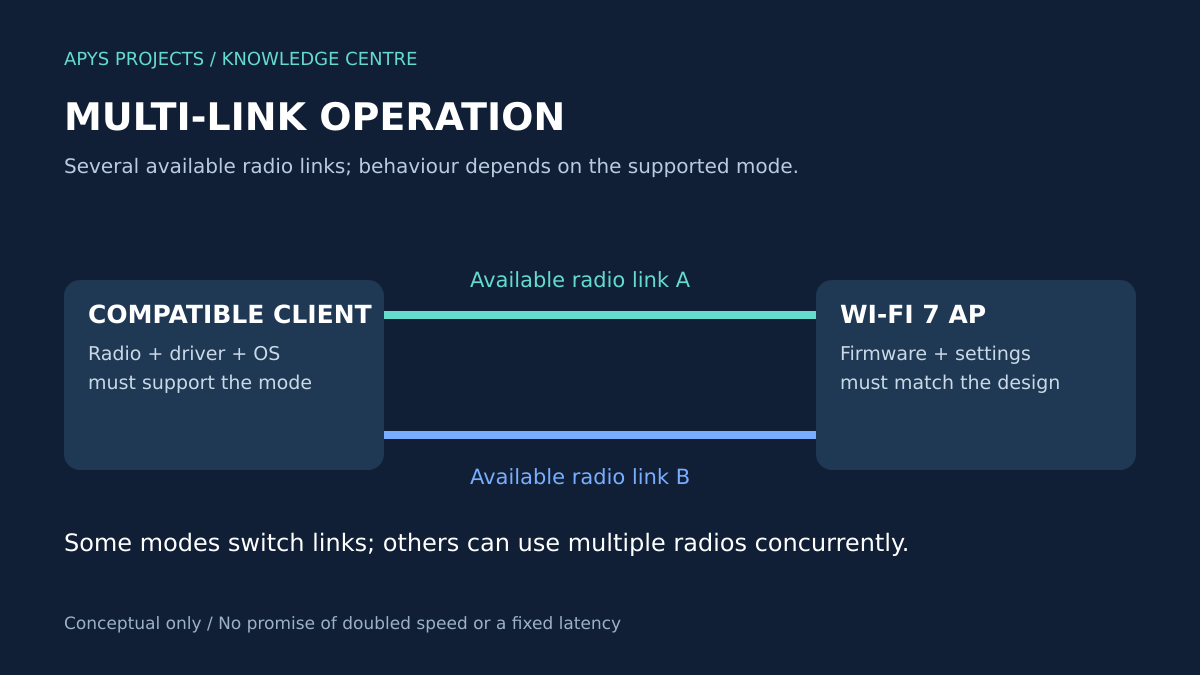
- Multi-Link Operation (MLO): compatible access points and clients can coordinate more than one radio link. Behaviour varies by supported mode; some arrangements switch between links while others support concurrent radio operation.
- Channel widths up to 320 MHz: these use 6 GHz spectrum and depend on regional availability and equipment support. Wider channels consume more spectrum, so the widest setting is not automatically the best setting in a multi-AP office.
- 4096-QAM: this modulation carries more bits per symbol under suitable radio conditions. It does not mean every desk receives a fixed speed increase.
These are capabilities to evaluate, not guaranteed application results. Client radios, firmware and the RF environment determine what is usable. [1]
What should Indian offices check about 6 GHz?
DoT’s 2026 clarification states that the 5925–6425 MHz band has been exempted from licensing requirements under GSR 47(E), dated 20 January 2026, subject to the specified technical parameters and operating conditions. The exemption is conditional; it is not permission to use every international channel or power setting. [5]
Before procurement, ask the supplier to confirm the exact India-supported model, country configuration, applicable equipment approval and supported software release. Also verify whether your laptop fleet enables the intended band with its installed OS and drivers. Record these confirmations in the submittal. A global product page showing 6 GHz support does not, by itself, establish that your selected configuration will provide it.
Wi-Fi 6, Wi-Fi 6E or Wi-Fi 7: which should you choose?
| Your office situation | Planning approach | Evidence before purchase |
|---|---|---|
| Existing Wi-Fi is stable and meets agreed needs | Keep the system; review support life and expansion plans | Peak-time measurements and a current inventory |
| Coverage gaps or meeting-room congestion | Survey and investigate the existing design first | Coverage, client count, retries and channel use |
| New office fit-out with a long expected service life | Compare a Wi-Fi 7 design with alternatives over the full ownership period | Client roadmap, cabling scope, PoE and subscription costs |
| Mixed devices with a small number of modern laptops | Pilot a representative area before a full refresh | Results from both older and newer clients |
| Heavy local transfers or specialist wireless applications | Evaluate end-to-end capacity against the actual application | Local server throughput, concurrency and application behaviour |
This is a decision framework, not a promise that one generation is always better value. Compare the exact models and scope. Include controller or cloud management charges, required licences, support, installation and acceptance testing in the comparison.
Check the wired network before changing access points
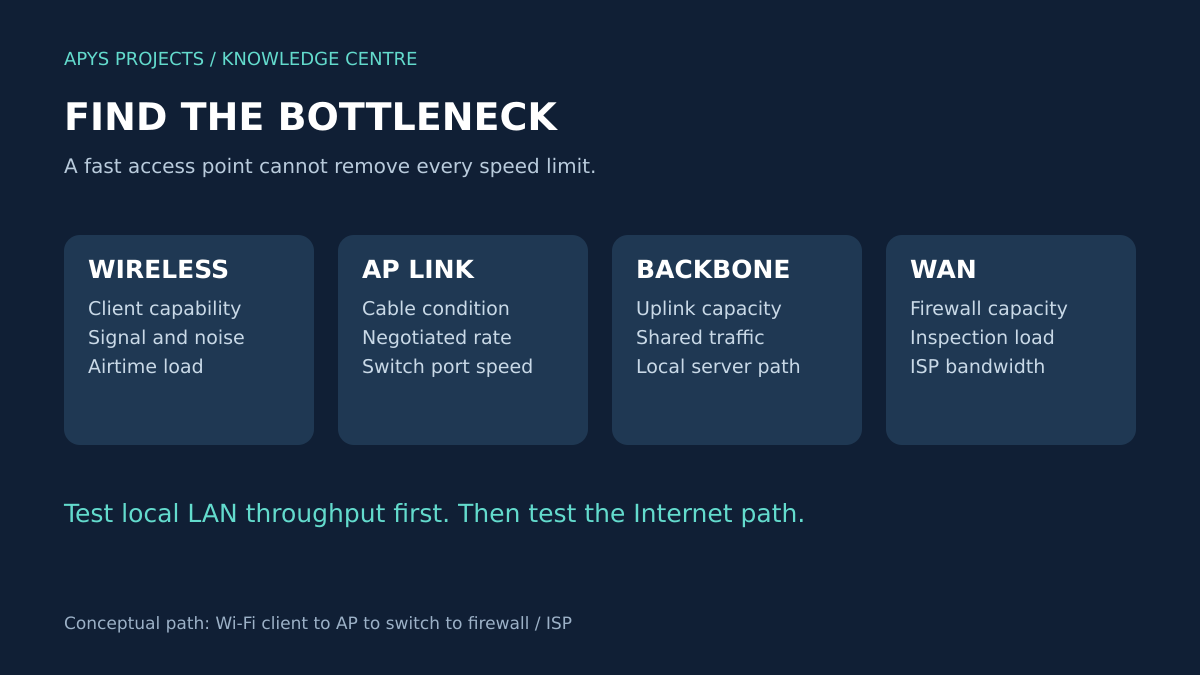
A modern AP can still be limited by its Ethernet connection, a shared switch uplink or the firewall. Confirm the AP’s supported Ethernet rates and the actual negotiated rate on its switch port. A port described as “Gigabit” does not automatically support 2.5G, 5G or 10G operation.
Use a local test server with enough capacity to establish a wired reference. Then test wireless clients against that server. Test the Internet separately. This separates a LAN problem from an ISP or firewall limitation and avoids treating a public speed-test result as the total wireless performance assessment.
For new cable routes intended to support demanding APs, evaluate a complete Cat6A system, including cable, connectors, patch panels and cords. Cisco and Panduit identify Cat6A as part of their Wi-Fi 7 infrastructure approach. Existing cabling should be assessed against the selected link speed and installation conditions rather than replaced solely because the AP label changed. [4]
Ask for link IDs, route lengths and suitable test reports. A basic wiremap pass does not replace standards-based certification. Our Cat6/Cat6A certification guide explains the difference; the office structured cabling guide covers the installation scope.
PoE: an AP can start up without delivering its intended feature set
Check the manufacturer’s full-feature power requirement and any reduced-power operating modes. Verify the required IEEE PoE type, the switch’s per-port capability and the total available PoE budget. Matching a wattage label alone may be insufficient: Cisco documents cases where its Wi-Fi 7 APs require standards-based PoE rather than a proprietary power mode with a similar wattage. This is model-specific guidance, not a universal requirement for every Wi-Fi 7 AP. [2]
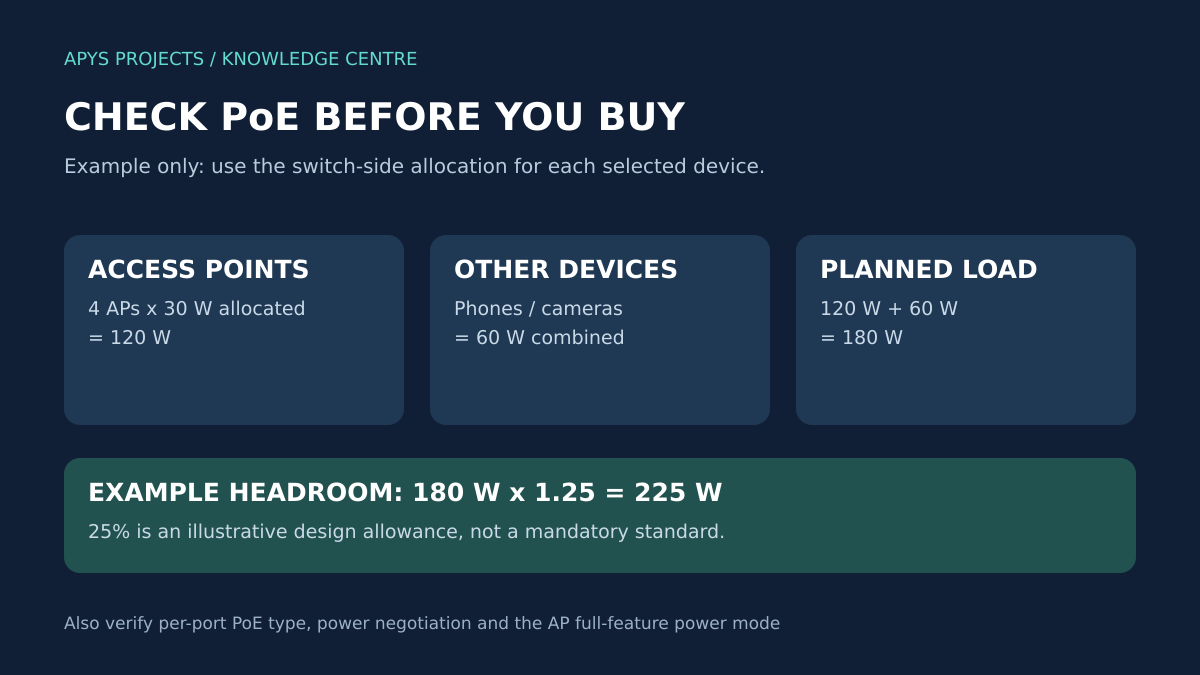
In this hypothetical example, four AP ports each have a 30 W switch-side allocation, and other PoE devices need 60 W combined:
- AP allocation: 4 × 30 W = 120 W.
- Total planned PoE allocation: 120 W + 60 W = 180 W.
- With an illustrative 25% allowance: 180 W × 1.25 = 225 W.
The 25% allowance is an example planning choice, not a mandatory standard. Use the selected equipment’s allocation method, power-supply configuration and failure-mode requirements for the final calculation. Do not substitute a device’s measured idle draw for the allocation required to operate all planned features.
Also review UPS runtime, rack ventilation and other PoE loads. For a fuller calculation workflow, see how to calculate a PoE power budget.
Check client compatibility before trusting a speed claim
Create an inventory with laptop model, wireless adapter, OS version and driver version. Confirm the client’s band, channel-width and MLO support rather than assuming every device marked Wi-Fi 7 implements the same capabilities. Intel’s product guidance distinguishes theoretical capability from practical performance and lists the conditions behind its headline client-speed figures. [3]
Use at least one representative older client in the pilot. The office may continue to depend on printers, phones or specialist devices that need different settings. Retain a documented compatibility plan for these devices instead of changing the entire network around a single demonstration laptop.
Plan coverage, capacity and segmentation together
Mark meeting rooms, enclosed cabins, collaborative areas and normal working positions on the floor plan. List expected concurrent users and the applications they actually run. AP quantities should follow the site assessment; “one AP per fixed number of employees” is not enough to establish the design.
Use the AP placement guide to structure the survey. Do not hide an AP above unsuitable building materials merely to improve appearance. Record the installed position and compare the resulting measurements with the design assumptions.
Separately, define who can reach what. A newer radio standard does not create guest isolation or secure the office servers. Document employee, visitor and device access policies; verify the firewall rules and authentication approach. Use a guest client to test whether restricted internal destinations are blocked. For the separate visitor-network workflow, see our guest Wi-Fi setup guide.
A practical pilot for a hypothetical 50-person office
Suppose an office has a 500 Mbps Internet service, a mixed laptop fleet and meeting interruptions. These details do not establish that Wi-Fi 7 is required. Use this sequence:
- Capture the baseline: record the affected room, time, client, application, wired comparison and number of active users.
- Inspect dependencies: check AP port rates, errors, power negotiation, DHCP behaviour and the route through the firewall.
- Select a pilot area: include a busy meeting room and an adjoining work area, with the AP quantity determined by the survey.
- Repeat controlled tests: compare the old and proposed designs using the same clients, locations, local server and application tasks.
- Review the business result: decide whether the pilot fixed the observed problem and whether the full upgrade cost is justified.
Keep the outcome open. The investigation might support a Wi-Fi 7 rollout, a smaller cabling or switch upgrade, or a correction to the existing configuration. Do not present this hypothetical workflow as a measured customer success story.
What should the networking BOQ include?
Ask for a scope that makes the dependencies visible:
- AP model, mounting arrangement and manufacturer-supported power mode.
- Switch port rates, per-port PoE capability and total power budget.
- Cable routes, components, point labels and the agreed certification scope.
- Backbone changes, rack accessories, UPS review and installation work.
- Management platform, licences, subscriptions and support period.
- Survey, configuration, migration window, acceptance tests and handover records.
List exclusions explicitly. If a quotation omits the switch or cabling work required by its AP selection, the headline AP price is not the complete project cost. Our networking BOQ guide provides a broader procurement structure.
Acceptance tests before handover
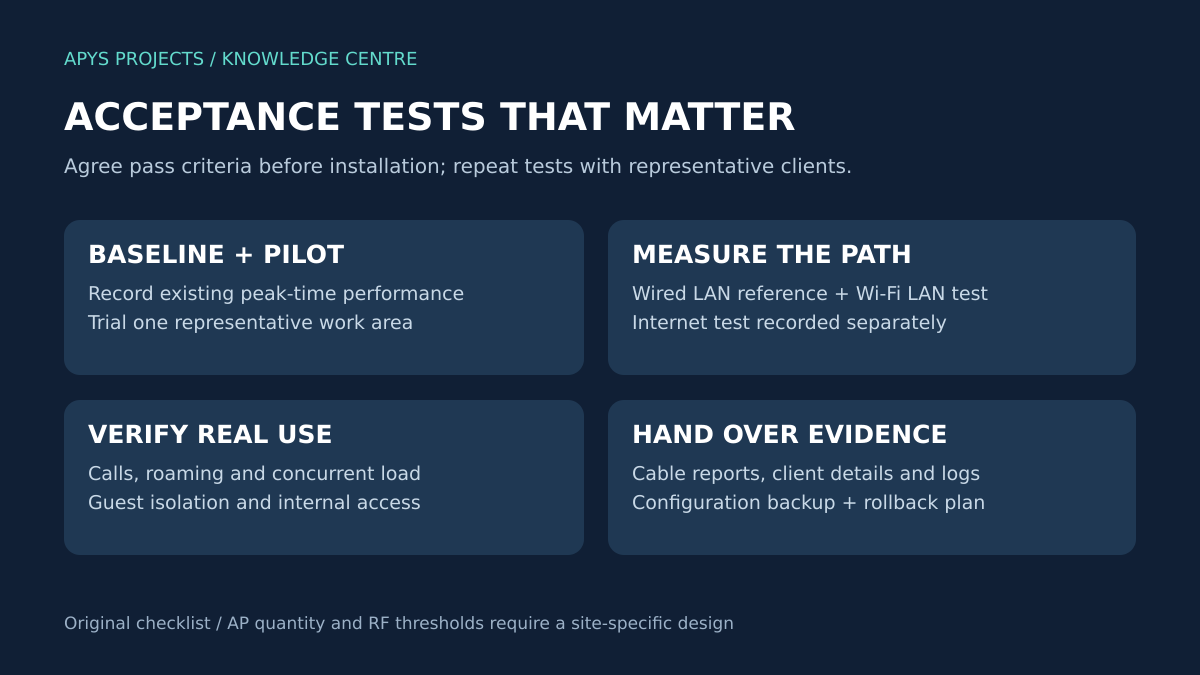
Define pass criteria with the client before work begins. Use requirements appropriate to the applications and site; avoid claiming a single universal RSSI, speed or AP-count target.
| Test | What to record |
|---|---|
| Cable and uplink checks | Point IDs, test reports, negotiated Ethernet rates and error counters |
| Power verification | PoE type, allocation, AP operating mode and remaining switch budget |
| Local performance | Wired reference, wireless client, location, test method and concurrency |
| Application and mobility | Calls and working tasks at representative desks and along relevant roaming routes |
| Access policy | Guest isolation, authorised internal access and management restrictions |
| Recovery and documentation | Backups, configuration ownership, labels, rollback procedure and support contacts |
Record unsuccessful tests and the corrective action rather than removing them from the handover. Keep an owner for unresolved items. See the network installation acceptance checklist for a wider project review.
A model approval and pilot record you can review before purchase
The DoT notice cited as Source 5 addresses models whose earlier ETA covered only 2.4/5 GHz while lower 6 GHz operation was disabled. For the affected models, it calls for technical cancellation of the old ETA and a fresh certificate covering the applicable bands. Obtain the supplier’s exact-model certificate and supported country/software confirmation; a firmware toggle or a global datasheet is not equivalent evidence. Have the supplier resolve the model’s applicable approval position before enabling the band. The notice’s printed date is inconsistent with its referenced 2026 notification; use the notification identifier and certificate details when verifying the procurement record.
Keep a submittal row for manufacturer/model and regional SKU, ETA reference and covered bands, installed software, India country profile, power class/operating conditions, client adapter/driver/OS, proposed channels, PoE mode and Ethernet rate. This is a document-checking workflow; it does not certify a model or replace the notified conditions.
Worked bottleneck check: four AP ports are not four independent uplinks
Suppose four APs each negotiate 2.5 Gb/s Ethernet, while the access switch has one 1 Gb/s uplink carrying all their traffic to the test server. The AP port rates total 4 × 2.5 = 10 Gb/s nominal, sharing a 1 Gb/s nominal server path. This 10:1 port-rate ratio identifies a potential shared constraint; it is not a prediction that every AP delivers 250 Mb/s. Traffic distribution, protocol overhead, RF airtime and actual concurrent demand remain relevant.
| Pilot run | Keep constant / record | Question it answers |
|---|---|---|
| Wired reference to local server | Host/NIC capacity, path, port rates, tool and versions | Can the test path support the intended measurement? |
| One wireless client at an agreed location | Client/driver, band, width, AP, PoE mode and load | How does that specific client/path behave? |
| Representative concurrent workload | Same clients/tasks, locations, duration and background load | Does the shared path or radio degrade under the planned use? |
| Business application and mobility | Call/task outcome, loss/retries, roaming route and timestamps | Does the upgrade fix the original business symptom? |
Run old/new comparisons with the same method and disclose changed settings. For iperf3, identify TCP or UDP, direction, duration and stream count; a reverse-direction or multi-stream run answers a different question. Store results and failures, not just the best screenshot. A successful single-client test does not prove whole-office capacity or that MLO was active. Record negotiated link information supported by the equipment and compare the actual application outcome. See ESnet’s iperf3 manual for the test options.
Frequently asked questions
Will Wi-Fi 7 increase my Internet plan speed?
It does not change the contracted ISP service. It may improve the wireless part of the path where that is the constraint. Test the local network and Internet service separately.
Do all office cables need replacement?
No blanket replacement decision is justified by the Wi-Fi generation alone. Inspect the existing links, selected Ethernet rate, cable condition and required test evidence. For new routes, compare the lifecycle value of a suitable Cat6A design.
Should every AP use 320 MHz?
No. Choose channel widths from the available regional spectrum, device support, interference and multi-AP channel plan. A wide-channel demonstration is not a full-office design.
Is the lowest AP price the lowest project cost?
Compare the complete scope: switching, PoE, cabling, mounting, management licences, testing, support and migration. Obtain a consistent BOQ before comparing totals.
Plan the upgrade around evidence
Start with an inventory and a measured problem, then evaluate clients, radio design, wired capacity and power together. Pilot the proposed solution and request documented acceptance results before rolling it out across the office.
For an office networking or structured cabling enquiry, contact APYS Projects with your floor plan, user count, device inventory and existing network details. These inputs make the first scope discussion more useful.
Sources and technical references
- Cisco: Wi-Fi 7 and the Growing Future of Wireless Design Guide — MLO, channel width and modulation.
- Cisco: Understand Aironet and Catalyst AP Power Requirements — model-specific PoE and power-mode guidance.
- Intel: Wi-Fi 7 Series Products and Solutions — client capabilities and performance assumptions.
- Cisco and Panduit: Future-Ready Workspaces — wired infrastructure and cabling planning.
- Department of Telecommunications: 2026 lower 6 GHz clarification — conditional licence exemption for 5925–6425 MHz.