Technical review: 3 November 2026 · 8 min read · Technical diagrams and AI-generated photographic concepts
Matter can help compatible smart-home products work across ecosystems, but the logo does not guarantee every feature on every controller. Before buying, check the exact device, transport, supported functions and platform version. Then test the household workflows that matter, including Internet loss and ownership transfer.
In this guide
- What Matter changes—and what it does not
- Matter, Wi-Fi and Thread occupy different layers
- Controller and Thread border router are different jobs
- Specification support does not mean your product is ready
- Build a feature-level buying matrix
- Multi-admin: useful choice with access responsibilities
- The local network can make a compatible device look broken
- A hypothetical apartment pilot
- Test local operation, cloud dependence and recovery separately
- Handover for a home or small office
- Frequently asked questions
- Plan an automation enquiry around outcomes
What Matter changes—and what it does not
Matter is an IP-based interoperability standard for compatible connected devices. Its purpose is to provide a shared application-level language rather than make every manufacturer’s proprietary features identical. A device can expose supported Matter functions while keeping additional capabilities in its own application.
This distinction matters at purchase time. “Works with an app”, “supports voice control” and “Matter-certified” are different claims. Check the precise model and certified capability instead of assuming that another product from the same brand has the same support. Ask whether Matter is available in current firmware or merely announced for a future update.
The practical goal is not to collect protocol logos. It is to make the specified lights, sensors, controls and other devices behave predictably for the occupants. Write those behaviours down before selecting products.
Matter, Wi-Fi and Thread occupy different layers
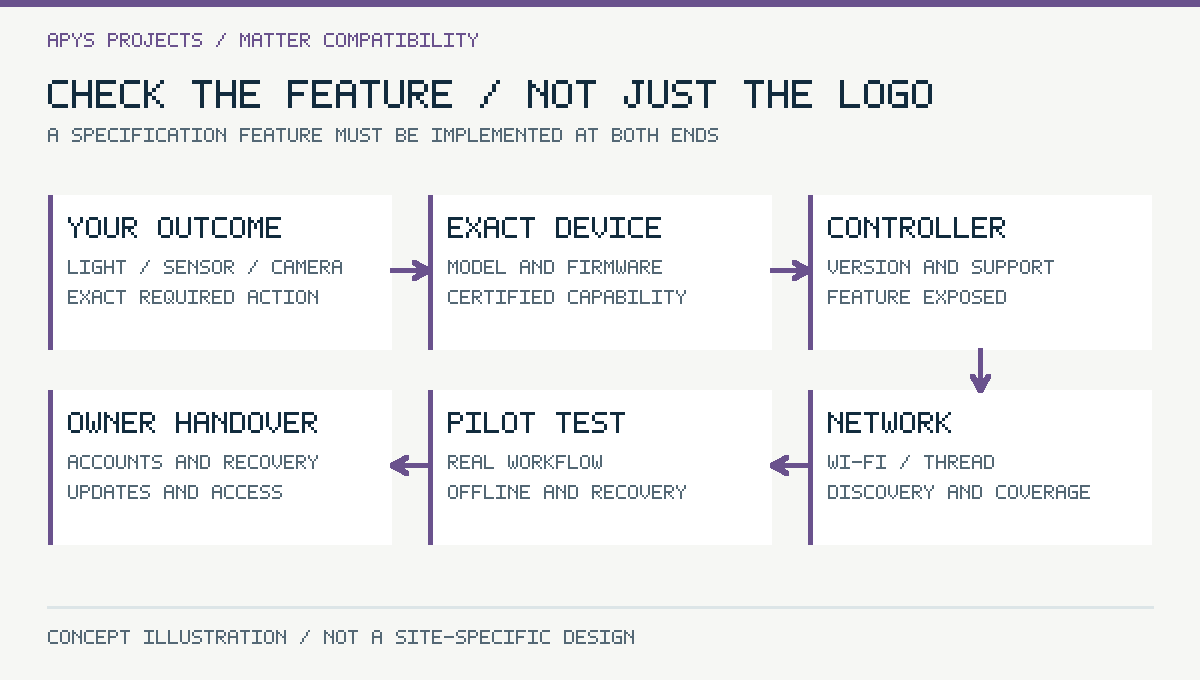
| Term | Role | What to check |
|---|---|---|
| Matter | Common application-level interaction | Device type and functions supported by the controller |
| Wi-Fi or Ethernet | IP network transport for relevant devices | Local connectivity, discovery and network policy |
| Thread | Low-power IPv6 mesh transport for relevant devices | Thread coverage and border-router arrangement |
| Bluetooth Low Energy | Used in supported commissioning workflows | Setup method and device-specific requirements |
Matter is not a replacement name for Wi-Fi. A Matter-over-Thread sensor and a Matter-over-Wi-Fi plug can participate in an appropriate ecosystem while using different local transports. Thread is also not the same protocol as Zigbee, even though both can use IEEE 802.15.4 radios. A shared radio technology does not establish application compatibility.
Check battery devices and mains-powered devices individually. Their routing and power behaviour can differ. A diagram of one mesh should not imply that every battery sensor repeats traffic for its neighbours.
Controller and Thread border router are different jobs
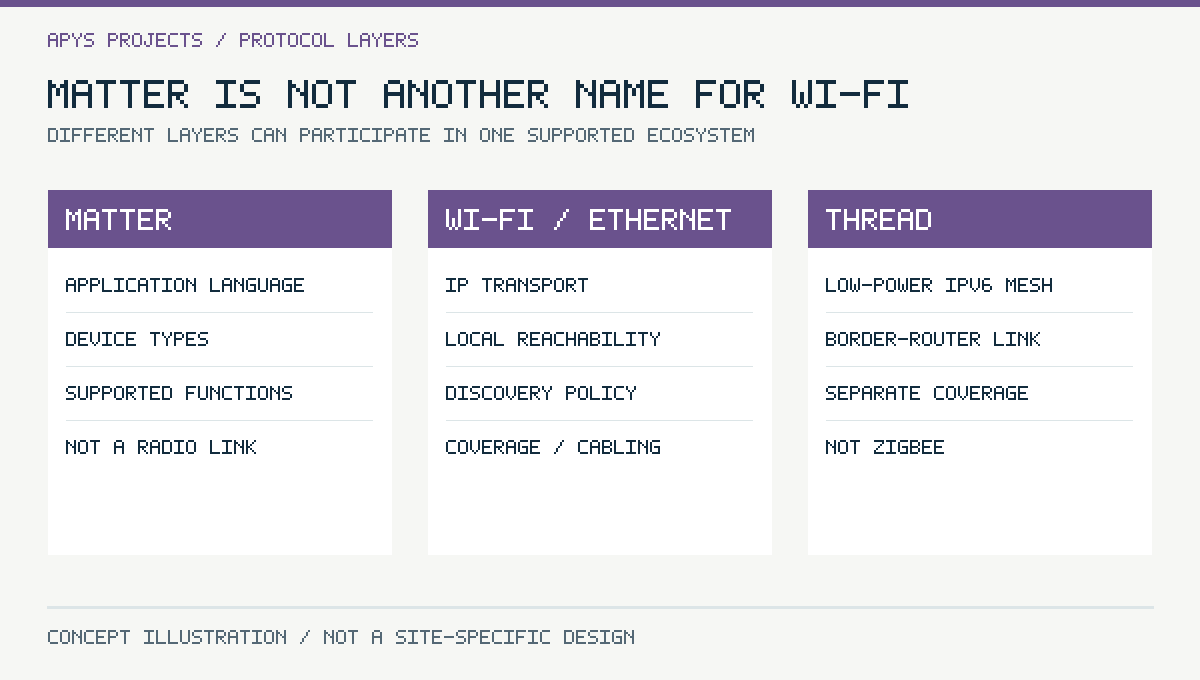
A Matter controller manages supported devices and exposes control through its ecosystem. A Thread border router links a Thread network to the other IP networks. Some consumer products perform both functions, but the roles remain distinct. A Wi-Fi-only Matter device does not require a Thread border router just because it uses Matter.
For a proposed controller, confirm the exact hardware, software version and supported device types. For Thread devices, check that a suitable border-router arrangement exists and has the intended coverage and continuity. Multiple products in the house do not automatically guarantee one perfectly coordinated network.
Ownership matters. The household or business should retain the administrator account and recovery method. An installer’s personal login should not become the permanent owner of lighting or access-related controls.
Specification support does not mean your product is ready
Matter 1.5 introduced cameras and additional device categories, and the Connectivity Standards Alliance’s 31 March 2026 announcement describes Matter 1.5.1 improvements to camera streaming and related functions. Matter 1.6, released on 17 June 2026, adds full NFC-based commissioning, Joint Fabric for multi-ecosystem administration, thermostat suggestions and interoperable event history for security sensors. These developments make cameras a relevant compatibility topic, but they do not upgrade every existing device or controller automatically.
A specification feature must be implemented in the product and supported by the ecosystem where you intend to use it. Verify live viewing, recorded video, events, two-way communication and any other required function separately. Do not assume a camera will replace a commercial NVR workflow simply because a smart-home standard supports camera device types.
Likewise, energy-related device support should be checked against the actual controller interface and permissions. A displayed meter reading does not prove a supported command path for limiting a charger or operating a battery.
Build a feature-level buying matrix
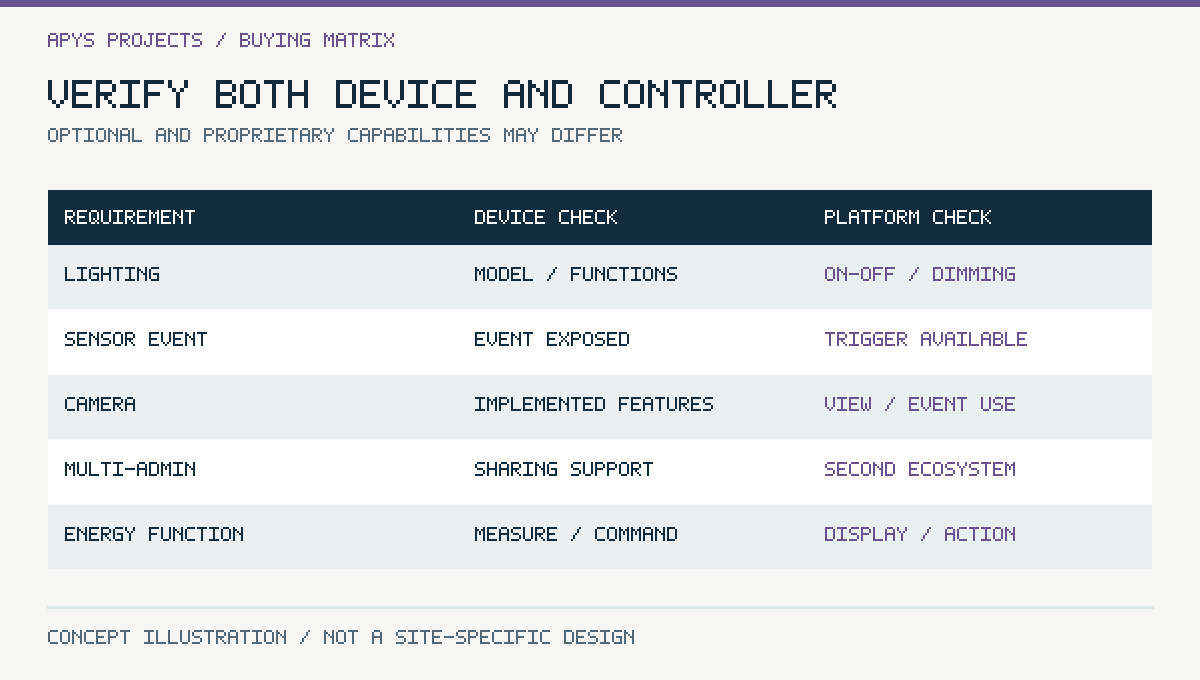
| Required outcome | Device evidence | Controller evidence |
|---|---|---|
| Basic lighting control | Certified model and supported function | On/off and required dimming behaviour |
| Sensor automation | Relevant event or measurement exposed | Automation trigger actually available |
| Second ecosystem access | Supported multi-admin workflow | Compatible commissioning and control |
| Camera use | Exact implemented capabilities | Required viewing and event functions |
| Energy display or control | Measurements or commands exposed | Matching display or action support |
Add regional availability, electrical suitability, warranty and update support to the shortlist. Certification can provide evidence of conformance within its scope; it is not a blanket guarantee that every optional vendor feature appears in every platform. Cross-check the model in the Alliance’s certified product records and the manufacturer’s current documentation.
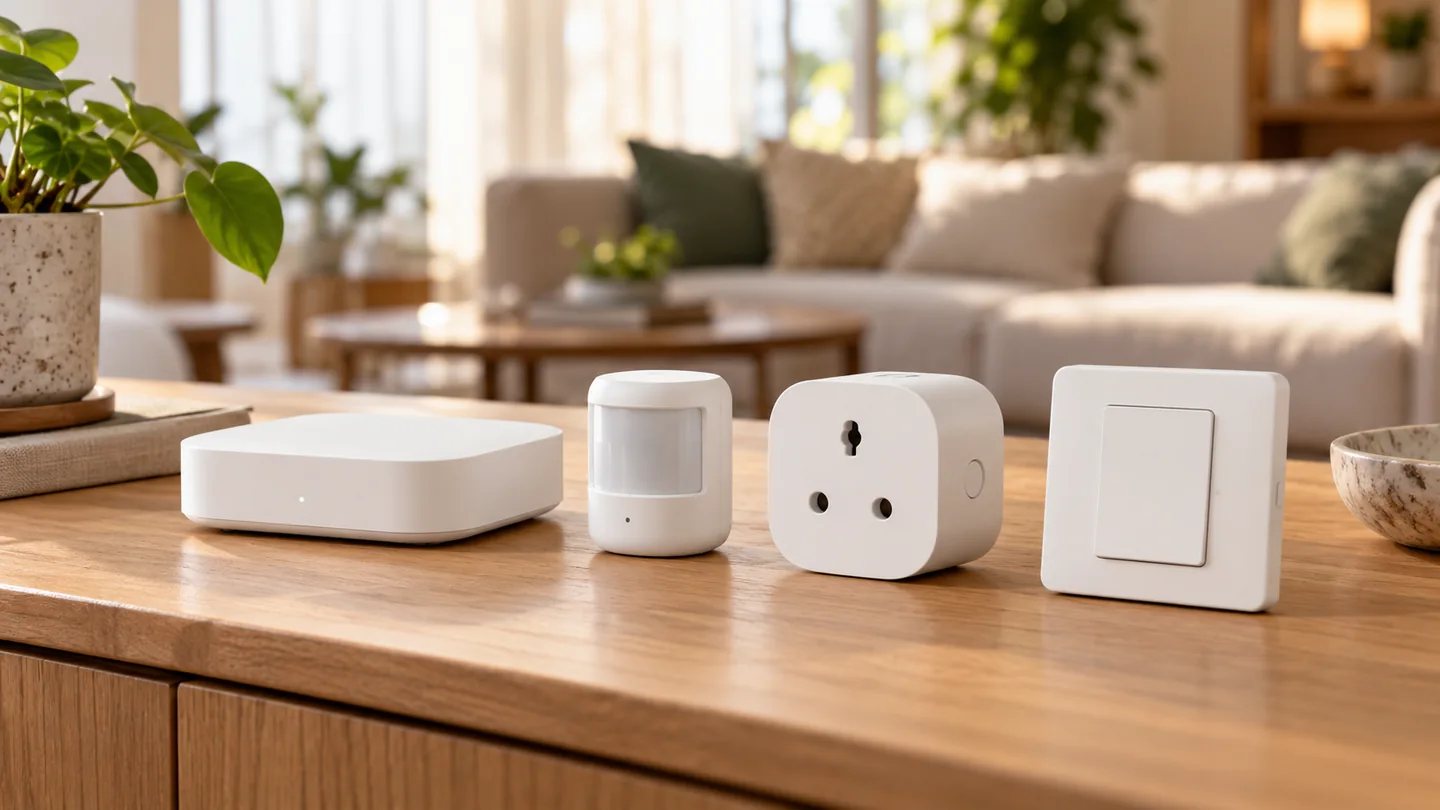
Buy a representative pilot set before a whole-house quantity order. A working lamp, sensor and controller combination provides more useful evidence than a collection of separate compatibility badges.
Multi-admin: useful choice with access responsibilities
Matter’s multi-admin capability can let a device participate in multiple supported platforms. It is useful when occupants use different ecosystems, but commissioning into another platform creates another administrative relationship. Keep track of who can control the device and which account owns each ecosystem.
Matter 1.6 introduces Joint Fabric, which lets several user-authorised controllers co-administer one Matter network instead of enrolling each device separately in every ecosystem. It can simplify multi-ecosystem homes, but only where the controllers and devices actually support it, so confirm support before relying on it.
Scene names, automations and manufacturer-specific features do not necessarily migrate just because a device becomes available in a second controller. Test the intended household routines in both places and decide where the authoritative automation lives. Two overlapping routines can produce confusing or conflicting actions.
When a tenant, employee or integrator leaves, remove their access through the relevant systems. Reset and reassign devices according to the documented ownership-transfer process when appropriate. Do not leave installer accounts active simply because the lights still work.
The local network can make a compatible device look broken
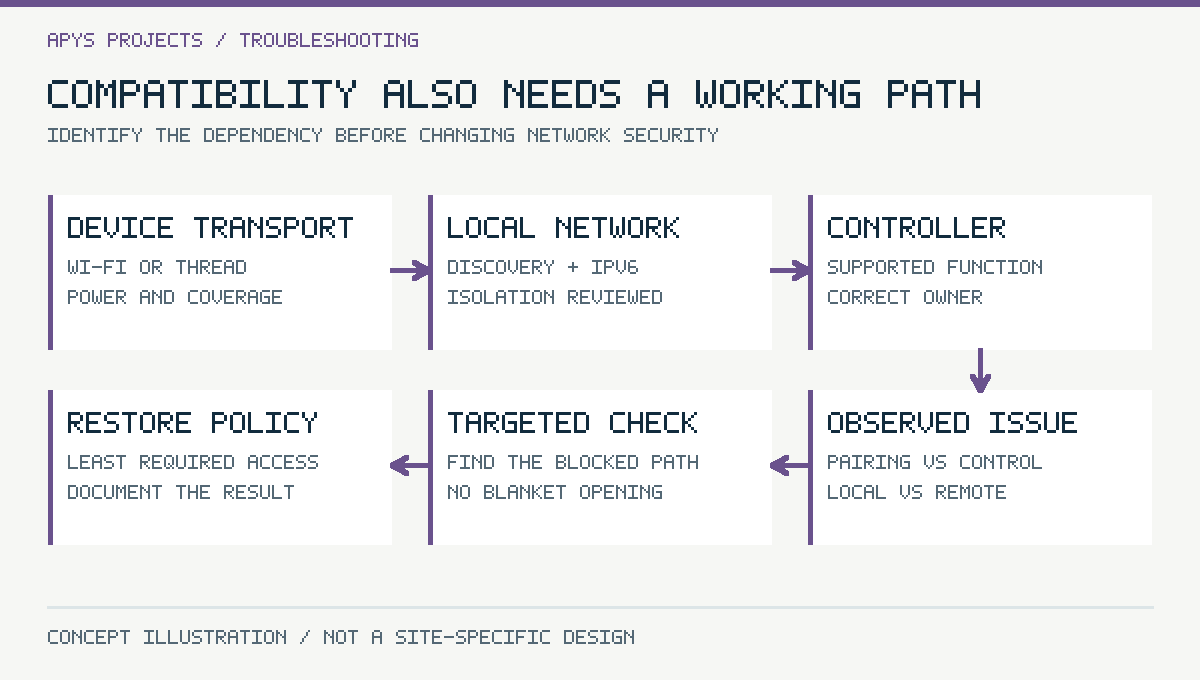
Discovery, IPv6 connectivity and routing behaviour matter. Consumer guest Wi-Fi often isolates clients, which can prevent required local communication. A highly restricted IoT VLAN may also block discovery or controller-to-device traffic. Confirm the platform’s supported network design before changing policy.
Do not solve discovery by disabling every firewall rule or exposing the devices to the Internet. Identify the required paths and use a controlled design. For a business or larger property, coordinate the automation and networking teams so the security boundary and the interoperability requirements are both explicit.
Place controllers, access points and border routers according to coverage and service needs rather than hiding all of them inside a metal cabinet. Thread coverage and Wi-Fi coverage should be evaluated as separate radio conditions. A network speed test at a phone does not establish that a remote low-power sensor has a reliable route.
A hypothetical apartment pilot
Assume an apartment owner wants four lighting points, two occupancy sensors and a smart plug visible in a chosen platform. Begin with one representative lighting device, one sensor and the proposed controller. Include a Thread border router if the selected sensor needs Thread. This is a planning example, not an APYS project record.
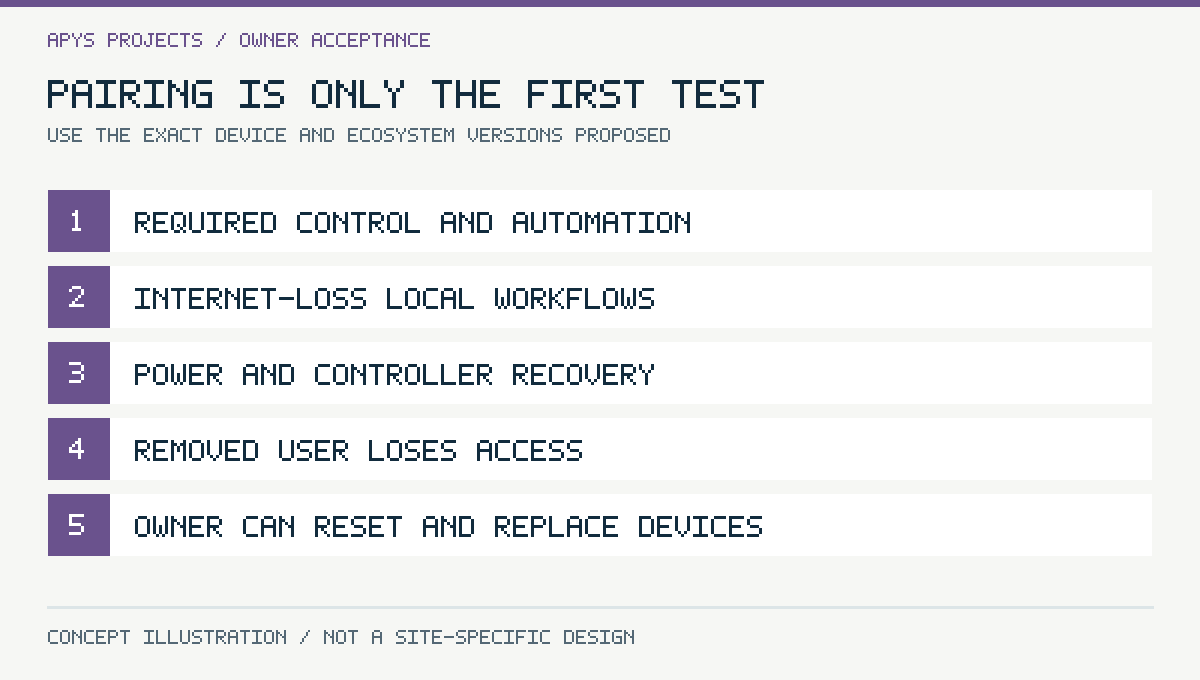
Write acceptance actions in plain language: the wall control still works as intended; the selected sensor triggers the chosen light; the automation behaves sensibly after power returns; and the owner can add or remove an authorised user. Check dimming compatibility with the actual lamp and driver rather than relying on a protocol claim.
Keep mains wiring and electrical product selection with competent personnel. Protocol compatibility does not make an unsuitable electrical rating or installation method acceptable. Life-safety systems and critical access functions need their own approved designs and should not be casually replaced by general consumer automations.
Test local operation, cloud dependence and recovery separately
Matter supports local interaction, but the overall experience can still depend on cloud services for particular voice functions, remote access, account actions or vendor features. List which functions should remain available without the Internet and which explicitly require an online service. Test that list with the exact ecosystem.
| Test | What to observe | Why it matters |
|---|---|---|
| Internet unavailable | Local switches, control and agreed automations | Separates local operation from cloud features |
| Controller restart | Recovery time and automation availability | Checks normal maintenance behaviour |
| Border-router interruption | Thread-device reachability and recovery | Checks the real transport dependency |
| Power returns | Device state and unexpected actions | Prevents surprises after an outage |
| User removed | Access actually revoked | Checks ongoing ownership |
| Factory reset and replacement | Documented recommissioning path | Tests lifecycle readiness |
Avoid treating an offline voice-assistant failure as proof that every local device has failed. Equally, a local on/off test does not demonstrate that remote viewing, schedules or manufacturer features remain available.
Handover for a home or small office
- Exact model and firmware inventory, with transport identified.
- Controller and border-router roles, locations and ownership.
- Required feature matrix with the tested ecosystem versions.
- Documented automations, triggers, exceptions and manual overrides.
- Securely held setup and recovery information, not a public photograph.
- Update support, recurring subscriptions and service dependencies.
- Reset, replacement, user-removal and ownership-transfer procedures.
Store commissioning codes and account recovery material securely. Do not place them in a publicly shared installation gallery. Ask who will maintain the system after a router change, controller replacement or occupant turnover. Reliable automation depends on this ownership as much as on a successful initial pairing.
Frequently asked questions
Does Matter mean every brand’s features are identical?
No. Common supported functions can interoperate, while proprietary or newer capabilities may differ. Check the required feature in the intended controller.
Do all Matter devices require a Thread border router?
No. Thread-based devices need the relevant Thread connectivity. Matter devices using Wi-Fi or Ethernet have different transport requirements.
Will Matter work without Internet?
Supported local interactions can work locally, but cloud-dependent platform features may not. Test each required workflow rather than relying on a general claim.
Can an existing Zigbee device become Matter automatically?
No. A supported bridge or specific manufacturer implementation may expose selected functionality, but it is not an automatic protocol conversion.
Plan an automation enquiry around outcomes
Share the rooms, required control actions, chosen ecosystem, existing network and device models. Describe the manual fallback occupants should have. The APYS Projects contact page can be used to discuss home and office automation integration across India.
Related reading: Smart home security and automation planning, Wi-Fi placement and coordinated ELV systems.
Sources and technical references
Primary documentation reviewed on 3 November 2026. Device features, licences and regional availability must be confirmed for the selected product and firmware. Worked examples are hypothetical, not APYS client measurements.
- Connectivity Standards Alliance: Matter overview
- AWS Prescriptive Guidance: Adopting the Matter standard (March 2026)
- Connectivity Standards Alliance: Matter 1.5.1 release
- Connectivity Standards Alliance: Matter multi-admin
- Privacy Guides: CSA releases Matter 1.6 and Product Security 1.1
- Thread Group: Typical Thread network topologies
- Connectivity Standards Alliance: Certification process
- Connectivity Standards Alliance: Matter security and privacy